

Warehouses are under real pressure in 2026. Shipping windows keep shrinking, SKU counts keep climbing, and it’s still hard to hire and keep warehouse labor. As a result, the tools that felt “good enough” a few years ago can start slowing the whole operation down.
A WMS (warehouse management system) is the software that runs the day-to-day work inside your four walls, receiving, putaway, picking, packing, shipping, and inventory accuracy. When it fits, your team moves faster with fewer exceptions. When it doesn’t, you see delays, manual workarounds, and data you can’t fully trust.
This article breaks down clear signs your current WMS is holding you back, from poor real-time visibility to weak integrations as volumes and automation needs grow. You’ll also learn what to do next, how to confirm the problem, what to ask vendors, and how to plan a switch without disrupting orders.
Day-to-day warning signs your current WMS is creating extra work
When a WMS fits your operation, the work stays inside the system. When it doesn’t, your team starts building little bridges around it just to keep orders moving. Those bridges might feel “normal” after a while, but they add hidden labor, increase errors, and make it harder to see what’s really happening on the floor.

You rely on spreadsheets, paper, or side systems just to get orders out
If your day starts with someone printing pick lists “because it’s faster,” that’s a sign your WMS is already losing the battle. The system might technically support picking, but the floor has voted with their feet. They’re doing what works under pressure, even if it creates mess later.
Common workarounds show up fast:
- Manual pick lists taped to carts because the mobile flow is slow or confusing.
- A separate tracker for lot or serial numbers because the WMS makes it hard to capture them at pick or pack.
- Shared folders for bin locations (or a “secret map” only a few leads understand).
- Ad hoc label tools to print carrier labels, carton labels, or license plates when templates break or integrations lag.
- Exception handling through email and chat, like “Order 10492 is short, swap in SKU B and ship anyway.”
These shortcuts are risky because they create version control problems. Two people edit the same spreadsheet, someone prints an old file, and now the “truth” depends on who you ask. Training also gets harder. New hires do not learn one process, they learn ten small habits that only exist because the system is awkward.
If work happens outside the WMS, performance metrics start lying. It can look like “picking is slow,” when the real issue is that picking happens in three different places.
Inventory counts do not match what the system says, and you cannot explain why
A few mismatches happen in any warehouse. The red flag is when surprises feel routine and no one can trace the cause. You run cycle counts, adjust, move on, then the same SKU pops up again next week like a bad penny.
Watch for symptoms that supervisors see daily:
- Frequent cycle count shocks, especially in A items.
- Negative inventory or “it says we have minus 3” situations.
- Phantom stock that appears available but can’t be found in the slot.
- Product stuck in receiving because putaway did not close cleanly.
- Slow updates between zones, so pickers in shipping do not see what receiving just finished.
The damage spreads in two directions. Customers feel it as backorders, oversells, substitutions, and “why did my order ship in two boxes?” Internally, it shows up as extra touches: re-picks, re-labels, emergency replenishment, and supervisors walking the floor to verify what the screen should already know.

Pick, pack, and ship errors keep happening even after coaching and training
When the same mistakes keep repeating, it is rarely “people not trying.” More often, the WMS is not guiding the work well. A weak fit forces operators to remember too much, and memory fails when the line gets busy.
A few system-driven causes show up again and again:
- Bad slotting logic, so fast movers live far away or similar items sit side by side.
- Weak scan enforcement, so it’s possible to pick without a scan, or override scans too easily.
- Confusing screens that hide key info like UOM, pack size, or substitutions.
- Missing verification steps at pack-out (no weight check, no scan-to-pack, no insert confirmation).
That’s how you get real-world errors like the wrong item, wrong quantity, missed marketing inserts, wrong carrier service, duplicate shipments, or a packer who closes a carton before noticing it was a split order. Then returns pile up, customer service spends hours fixing tickets, and chargebacks show up with no warning.
For picking workflows, poor routing is a quiet contributor too. If you want a practical example of how routing affects accuracy and speed, see this guide on pick path optimization in WMS.

Your reporting is slow, hard to trust, or only tells you what already went wrong
If you have to export to Excel to answer basic shift questions, reporting is not doing its job. Supervisors need numbers they can act on during the day, not tomorrow morning after the damage is done.
Day-to-day warning signs include:
- Reports lag behind reality, so you manage off yesterday’s picture.
- KPIs do not match across screens (pick rate in one report, different in another).
- Dashboards refresh too slowly to steer labor mid-shift.
- You only see issues after the fact, like a missed cutoff, a wave that stalled, or a backlog that quietly grew.
Historical reporting is fine for weekly reviews. On the floor, you need real-time visibility and simple alerts that help you avoid trouble, like “packing is backing up,” “zone B is short staffed,” or “this wave will miss carrier pickup if nothing changes.” When the WMS cannot do that, leadership ends up managing by gut feel, and the team spends the day reacting instead of controlling the work.
Growth exposes WMS limits, and the cracks spread fast
A WMS can look “fine” when you ship a steady volume from one building. Then growth hits. Orders surge, SKU counts explode, and every new customer wants their own rules. Suddenly, your team is doing more planning, more chasing, and more fixing than actual fulfillment.
The scary part is how fast it compounds. Small gaps in wave planning, inventory visibility, or location logic turn into missed cutoffs, overtime, and a growing pile of “temporary” workarounds. Growth should feel like a controlled ramp up, not a daily scramble.

Order volume spikes turn into chaos instead of a planned ramp-up
Peak season is when a weak WMS shows its true colors. Cutoff times creep earlier because the team starts “needing” extra hours to catch up. SLAs slip because orders sit in queues, waiting for someone to re-sort priorities. Meanwhile, overtime becomes the default tool, even though it usually increases errors.
On the floor, it looks like this: pick paths clog, pickers bunch up in the same aisles, and packing stations starve or flood at random. If your WMS cannot adjust waves mid-shift, you end up stuck. A hot order comes in, a carrier moves pickup earlier, or a zone falls behind, and the plan stays frozen.
A better WMS helps you avoid heroics by doing three basic things well:
- Smarter wave planning based on cutoff time, carrier, order type, and zone capacity.
- Real-time reprioritization, so urgent orders jump the line without breaking the rest.
- Labor aware execution, so tasks flow to the right people and stations before bottlenecks build.
If your operation still “solves” peaks by printing extra lists and yelling across the building, the system is already tapped out. For a deeper look at how waves should work in practice, see this guide on the wave picking WMS feature.
New sales channels, new rules, and new customers feel painful to add
Growth rarely comes in one clean shape. You add Amazon or Walmart Marketplace, then a wholesale customer asks for UCC labels and ASNs. Next, you launch bundles, subscriptions, or light assembly. Each move is good for revenue, but it adds operational rules that a basic WMS struggles to express.
The red flag is when every new requirement turns into a “project.” Instead of configuring rules, you patch the gap with manual steps:
- Marketplace orders get handled in a separate queue, because the WMS cannot enforce channel-specific packing rules.
- B2B shipments require someone to build labels outside the system, then re-key carton counts.
- Kitting and bundles live in spreadsheets, so inventory gets out of sync the moment demand shifts.
- Subscriptions force weekly “batch builds” because the WMS cannot schedule recurring orders cleanly.
- Value-added services (relabeling, inserts, gift notes) get tracked by sticky notes and tribal knowledge.
That is how complexity becomes expensive. You pay for it in labor, training time, and preventable chargebacks. Over time, the WMS becomes the place where transactions get recorded, not where the work actually gets run.
You are adding locations, zones, or warehouses, but visibility gets worse
Adding space should relieve pressure. Instead, many teams see the opposite: more square footage, less control. Transfers become messy because inventory is “in transit” for too long, or it gets received late at the destination. Shared inventory pools get risky because one site allocates stock the other site already promised. Even basic questions start taking longer to answer.
Multi-site operations also introduce different pick methods and workflows per building. One site might run zone picking with carts, another might use batch picking, and a third might be optimized for pallets. If the WMS treats all locations the same, you either force bad processes, or you create local exceptions that break reporting.
Modern operations need near real-time visibility across every inventory state, on hand, allocated, picked, packed, staged, and in transit. If you are expanding sites, this multi-warehouse management guide explains what “one source of truth” should look like once you outgrow a single building.

You cannot support more SKUs and more bin locations without slowing down
SKU growth changes everything. Travel time rises because product gets spread into overflow, then overflow becomes the “new normal.” Slotting gets stale because the WMS cannot suggest better placements based on velocity. Replenishment turns reactive because pick faces run dry mid-wave, and someone has to scramble with a pallet jack.
You can spot this limit quickly on a busy shift:
- Too many “misc” locations and temporary bins that never get cleaned up.
- Frequent pick-face stockouts, even though you have plenty in reserve.
- Replenishment tasks drop late, so pickers wait or skip lines.
- Walk time increases month after month, even with the same headcount.
A stronger WMS keeps speed as you add SKUs by enforcing putaway rules, driving smarter replenishment triggers, and maintaining clean location discipline. In other words, it keeps your warehouse from turning into a garage where everything technically fits, but nobody can find anything fast.
Technology and integration gaps that make your WMS feel stuck in the past
A WMS rarely fails all at once. More often, it falls behind one connection at a time. First it is the ERP sync that lags, then shipping gets patched in, then reporting lives in exports. Before long, the warehouse runs on duct tape and “don’t touch that” rules.
If your systems can’t share clean, real-time data, you stop trusting the screens. As a result, teams build workarounds, automation plans slow down, and small issues turn into late orders.

Connecting your WMS to other tools takes months, or it needs expensive custom code
Integrations should feel like plumbing, set it up once, then it just runs. With an older WMS, every connection can turn into a long IT project. ERP, OMS, shipping systems, EDI partners, carrier APIs, and dashboards all need data, yet your WMS fights you at each step.
The warning signs are easy to spot on a busy week:
- Long lead times for “simple” requests, like adding a new sales channel, mapping a new order type, or sending tracking back to an OMS.
- Fragile file transfers (CSV drops, nightly batches, manual imports) that work until they don’t.
- One person knows how it works, and everyone else is scared to touch it.
- Failures show up late, like orders that looked fine in the WMS but never reached shipping, until customers start asking.
Carrier connections are a common pain point. You want real-time rates, labels, and service rules. Instead, you get manual re-keying, duplicate shipments, or a queue of “label failed” errors at pack-out. EDI can be worse because issues hide behind a clean looking “sent” status, then chargebacks arrive days later.
If you want a clear view of the common ways WMS platforms connect (and where they break), use this reference on top WMS integration types.
If your WMS can’t share data easily, every new customer requirement becomes a custom project.
Automation projects stall because your WMS cannot talk to the equipment
Most warehouses do not jump straight to full robotics. They add practical tools first, conveyors, pick-to-light, scan tunnels, dimensioners, print-and-apply systems, or AMRs. Those tools only pay off when your WMS can send tasks and receive status in real time.
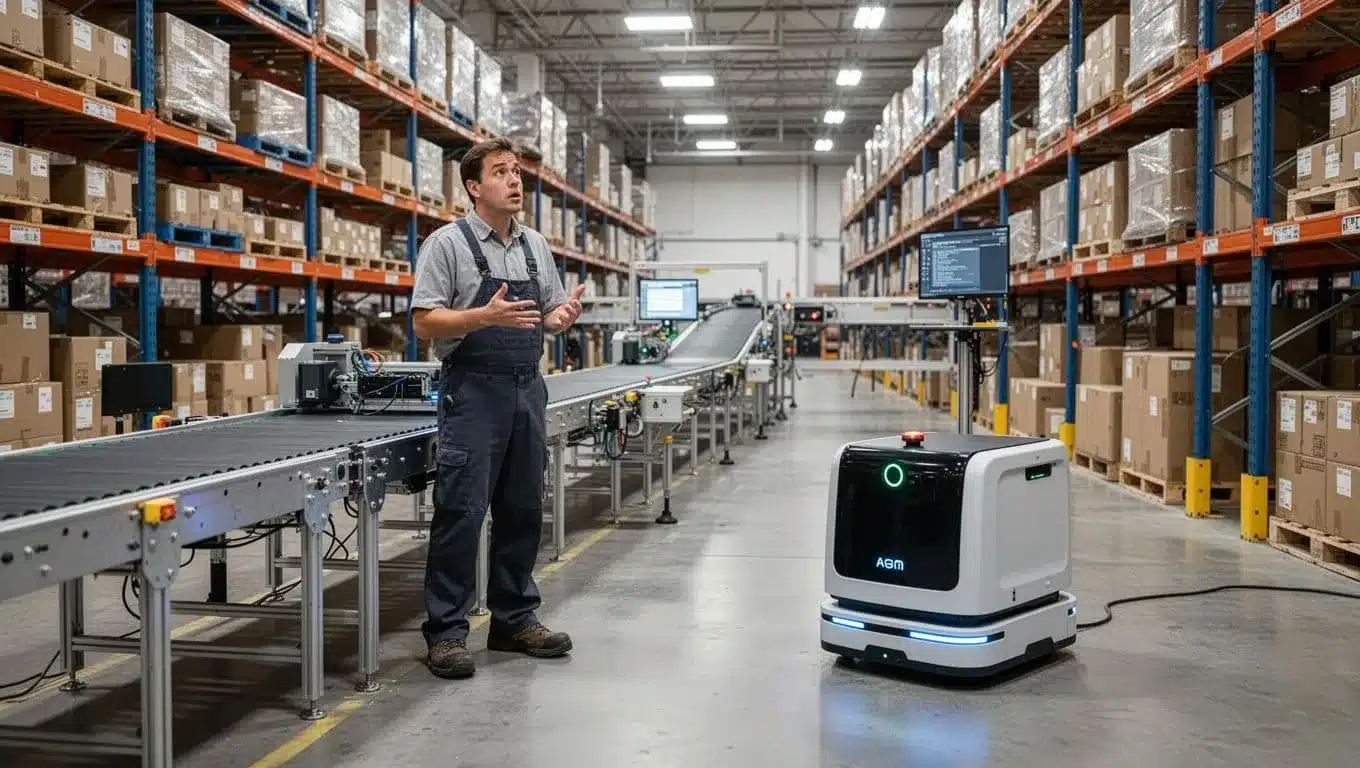
A “stuck in the past” WMS usually shows up in two ways. First, the vendor tells you automation is possible, but only with heavy customization. Second, you can connect the equipment, but you cannot get live status and exception handling. So when a scan tunnel kicks out a carton, or a dimensioner fails, the WMS has no idea what happened. The floor ends up chasing cartons like loose luggage at an airport.
You also see it in slower, quieter ways. AMRs idle because work doesn’t dispatch cleanly. Print-and-apply stops because the WMS can’t manage label formats by customer. Meanwhile, supervisors lose visibility because equipment data never reaches dashboards.
Modern warehouses increasingly plan for automation and data capture from day one. If your WMS can’t connect cleanly now, it will keep blocking projects later.
Updates feel risky, support is slow, and you are nervous to change anything
When your WMS runs on end-of-life software, every upgrade feels like open-heart surgery. Even small changes, like a new scan rule or a new label template, can trigger downtime fears. On top of that, older systems often depend on specific hardware, older RF guns, older Windows versions, or a server that “must not reboot.”
Support response time becomes part of the daily risk. Tickets bounce around. Fixes require long calls. Workarounds get documented in chat threads instead of the system. Over time, teams stop asking for improvements because they expect pain. That is the human cost: process problems stay forever because nobody wants to break the fragile machine.
If you’re stuck in that cycle, it helps to evaluate what good support and change management looks like, including integration and support for warehouse systems.
Security, permissions, and audit trails are too weak for today’s expectations
Weak security rarely announces itself with a big breach. It shows up as small accountability gaps that create shrink, disputes, and finger-pointing. Shared logins are the classic example. If everyone signs in as “warehouse1,” nobody can prove who adjusted inventory or overrode a scan.
Practical red flags include:
- Adjustments with no clear “who, what, when,” just a new number on the screen.
- No approval flow for high-impact moves, like writing off damaged goods or changing lot status.
- Limited permission controls, so people get broad access “because it’s easier.”
- No clean audit history during investigations, so you lose hours reconstructing events.
A modern WMS should act like a bank ledger for inventory. Every change needs a trail, not to punish people, but to keep the operation honest and reduce disputes with customers, carriers, and suppliers.
How to decide if it is time to switch WMS, and how to switch without chaos
Switching a WMS is disruptive, but so is staying on a system that forces daily workarounds. The goal is to make the decision based on facts, then move in phases so orders keep flowing. Think of it like replacing an engine, you don’t do it mid-flight without a plan, checks, and a backup.

A quick scorecard: when the pain and risk outweigh the cost of change
Start with a simple scorecard you can review in 30 minutes with ops and IT. Rate each area from 0 to 5 (0 = no issue, 5 = constant pain). Then add a column for impact so you can translate the score into hours and dollars.
Use these six categories because they tie directly to cost, risk, and customer experience:
- Frequency of errors: Mis-picks, short ships, wrong labels, wrong lots, rework.
- Time spent on workarounds: Spreadsheets, manual prioritizing, re-keying, “special steps” only leads know.
- Inventory accuracy: Cycle count variance, negative inventory, “it’s in the system but not on the shelf.”
- Integration effort: New channel or customer setup time, fragile file drops, broken mappings.
- Peak performance: Slowdowns, frozen waves, RF lag, system timeouts, extra overtime during spikes.
- Customer complaints: Late orders, wrong items, chargebacks, missed compliance labels.
Here’s a lightweight way to quantify it without turning this into a finance project:
| Category | Score (0-5) | How to quantify it this week | Your estimated cost |
|---|---|---|---|
| Errors | Count errors per 1,000 orders; cost per reship/return | ||
| Workarounds | Hours per day spent outside the WMS | ||
| Inventory accuracy | Cycle count variance, write-offs, “found” stock | ||
| Integrations | IT hours per change; vendor fees; delays in go-live | ||
| Peak performance | Overtime hours, missed cutoffs, backlog days | ||
| Customer complaints | Tickets per week; credits, chargebacks, churn risk |
After you score it, pick 3 to 5 top issues and put real numbers behind them (hours, dollars, late orders). If the “tax” of the current system is showing up every day, the switch starts looking less like a big cost and more like stopping a leak.
If you can’t attach hours or dollars to the pain, it will be hard to justify change. Start with one week of measurement, not opinions.
What to gather before you shop: processes, exceptions, and must-have features
A new WMS can only fit what you can explain. Don’t just document the “happy path.” Your real cost comes from exceptions, and that’s where a weak system breaks.
Capture your current flows in plain language:
- Receiving flows: ASN vs no ASN, overages/shortages, damage holds, QA checks.
- Putaway rules: Fixed vs random, size/weight rules, hazmat or temp zones, overflow logic.
- Pick methods: Piece, case, pallet; batch, wave, zone; cart vs pallet jack.
- Replenishment triggers: Min/max, demand-based, pick-face refills mid-wave, who approves.
- Returns and reverse logistics: Restock rules, quarantine, refurb, disposition codes.
- Value-added work: Kitting, relabeling, inserts, gift notes, light assembly, inspections.
- Compliance labeling: GS1-128/UCC labels, carton content labels, retail routing guide rules.
- Edge cases: Backorders, substitutions, split shipments, lot holds, serial capture at pack, partial picks.
While you document, note three things for every step: who does it, what system screen they use, and what breaks. That last part matters most. If you want a quick sanity check on scope, it also helps to separate “true warehouse execution” from broader inventory tracking, this WMS vs IMS comparison for 2025 can help align stakeholders on what the WMS must own.
Questions to ask WMS vendors so you do not buy the same problems again
Demos can look great while hiding the hard parts. So make vendors prove fit using your order types, your exceptions, and your peak realities.
Ask practical questions that force detail:
- Implementation plan: What’s the timeline for a warehouse like ours, and what causes delays?
- Integration options: Do you offer APIs, webhooks, EDI support, and proven connectors to ERP/OMS/shipping?
- Real-time visibility: What dashboards refresh live, and what alerts can a supervisor act on mid-shift?
- Scalability: What happens when we double SKUs, add zones, or add sites?
- Automation interfaces: How do you connect to conveyors, print-and-apply, AMRs, scan tunnels, or WCS?
- Mobile UX: Show the exact handheld flow for receiving, picking, pack verification, and exceptions.
- Role-based permissions: Can we lock down overrides, adjustments, and audit trails by role?
- Reporting: Can we build custom reports without tickets, and can we export clean data when needed?
- Uptime and reliability: What uptime do you commit to, and how do you handle incidents?
- Training and support: What are support SLAs, and what does onboarding look like for new hires?
- Upgrade path: How often do releases happen, and what breaks during upgrades?
Most importantly, request a demo that uses your real orders (B2C singles, B2B pallets, lots, returns, compliance labels). If they can’t run your “messy middle,” you’re shopping for the same problems with a new interface.
A safer switch plan: pilot, parallel runs, training, and cutover basics
A controlled WMS change is a series of small, verified steps. You want confidence before you bet the whole building on go-live day.

Use a phased approach that keeps risk contained:
- Data cleanup first: Fix duplicate SKUs, bad UOMs, inactive locations, and messy customer ship rules.
- Master data mapping: Agree on how items, locations, lots, and statuses map from old WMS and ERP into the new WMS.
- Labeling and barcodes: Standardize location labels and carton/pallet IDs so scans behave the same everywhere.
- Sandbox testing: Run receiving, pick, pack, ship, cycle counts, and returns in a test environment.
- Small-area pilot: Start with one zone, one client, or one order type, then expand after stable results.
- Parallel validation: For a short window, compare outputs (inventory, picks, shipments) between old and new processes.
- Go-live checklist: Cutover weekend plan, rollback plan, carrier pickups confirmed, staffing and super users scheduled.
- Hypercare period: Daily triage for issues, fast fixes, and extra floor support until metrics stabilize.
Don’t treat change management as a side task. Pull in shift leads early, write simple SOPs, and train on the same devices people use on the floor. When the team helps shape the workflow, adoption stops being a fight and starts feeling like relief.
Conclusion
A WMS switch usually becomes obvious long before leadership says it out loud. Daily friction shows up as spreadsheets, paper picks, repeat ship errors, and inventory numbers nobody trusts. Then growth strain turns peaks into overtime and firefighting, while new SKUs, channels, and locations feel painful to add. Finally, tech gaps lock you in place, because integrations take forever, automation can’t report status back, and even small changes feel risky.
That pattern is why so many teams are planning change right now. Recent industry reporting shows 38% of warehouses plan to upgrade their WMS or ERP in the next year, driven by labor pressure, e-commerce volume, and the need for real-time control. If your current system keeps forcing work outside the screen, the cost is already hitting you every shift.
Next step, run the scorecard, choose the top 3 pain points, and put a dollar and hour estimate next to each. Then start documenting your real workflows and exceptions so vendor demos match your operation, not a perfect-world script. If you’re weighing SaaS options, compare what a cloud-based WMS for 3PL providers changes in updates, scale, and visibility. Thanks for reading, what would you fix first if your WMS stopped getting in the way?