

Unplanned truck arrivals can turn an ordinary warehouse day into a costly bottleneck. Crowded yards, long driver wait times, idle dock doors, rushed labor, missed shipping windows, and detention fees all follow when inbound and outbound traffic reaches the facility without a clear plan.
Dock scheduling software gives your team one shared way to book appointments, assign dock doors, track arrivals, and coordinate receiving with shipping. Instead of relying on phone calls, emails, and spreadsheets, warehouse leaders can see what is scheduled, prepare labor and equipment, and respond faster when a carrier is early or late. That visibility also helps reduce appointment conflicts and keeps freight moving through the right door at the right time.
Dock coordination is part of the wider warehouse execution process, alongside order fulfillment workflows. For 3PLs, distributors, manufacturers, retailers, and e-commerce operations, better dock control supports more predictable throughput, lower operating costs, and stronger carrier relationships. Next, we’ll look at why dock scheduling matters and where it delivers the greatest operational value.
What Is Dock Scheduling Software and How Does It Work?
Dock scheduling software is a system for planning and managing inbound and outbound truck appointments. It gives carriers, suppliers, drivers, and warehouse staff one shared schedule instead of scattered phone calls, email chains, spreadsheets, and whiteboards.
The normal workflow starts when a carrier or supplier requests a time slot through a self-service portal. The system checks the request against operating hours, dock capacity, load type, carrier limits, and other rules. Once approved, it assigns a suitable dock door and sends confirmation. On arrival, the driver checks in through a QR code or mobile device. Staff then record door assignment, loading or unloading activity, departure, documents, photos, and exceptions.
A dock scheduling platform is more than a basic calendar. A calendar shows appointments, but it usually doesn’t understand dock capacity, truck types, maintenance blocks, or handling requirements. Yard management tracks trailer locations and movements outside the dock. Transportation management handles freight planning and carrier execution. A warehouse management system controls inventory, receiving, picking, and shipping. These tools work together, while dock scheduling manages the appointment and door-assignment layer between transportation and warehouse activity.
### The key features that keep dock appointments organized
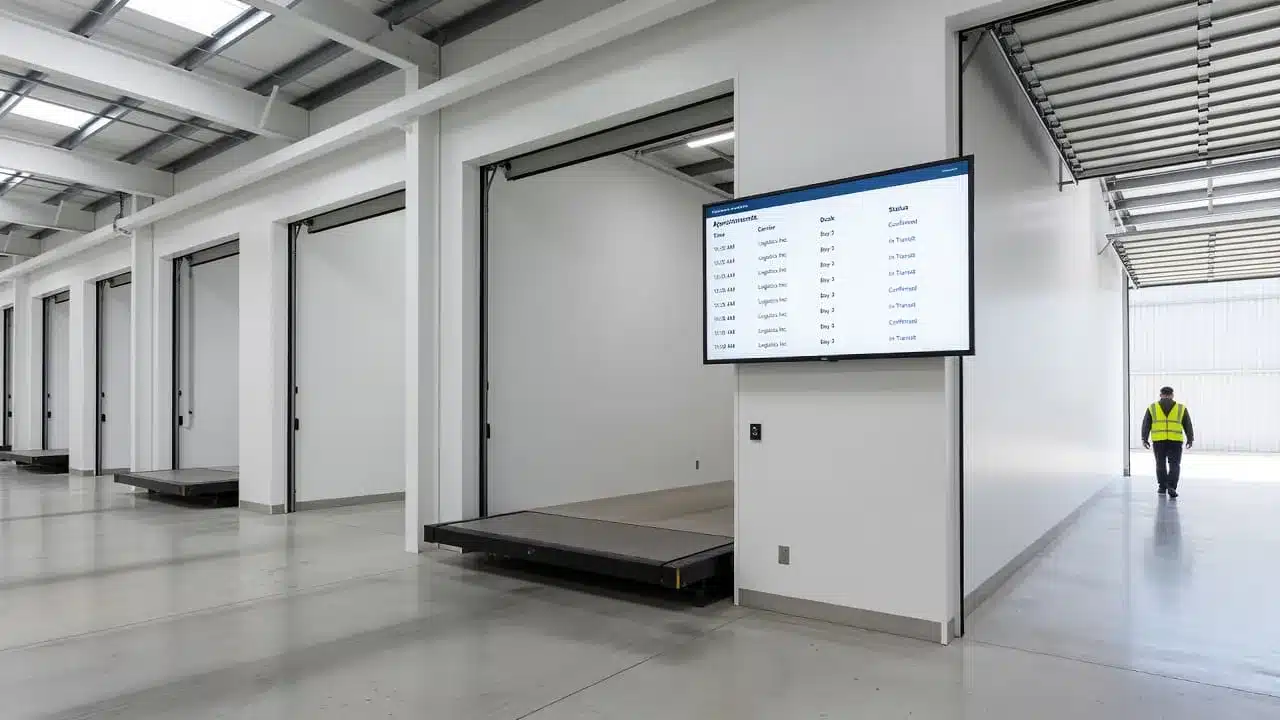
The system starts with time-slot booking, but useful scheduling depends on the rules behind each slot. Warehouse managers can define operating hours, breaks, maintenance blocks, maximum trucks per hour, and limits for specific carriers or suppliers. They can also match load types to suitable doors, such as refrigerated freight, floor-loaded cartons, pallets, or oversized shipments.
These rules prevent a carrier from booking a slot that the facility cannot support. They also protect the schedule against double-booking by reserving both the time and the required dock resources.
Self-service portals let carriers and suppliers request, approve, reschedule, or cancel appointments without repeated calls to the receiving office. Automated email or text alerts confirm bookings, remind drivers, and communicate delays or changes. As a result, transportation partners get clearer instructions while warehouse staff spend less time answering routine questions.
At the gate, QR or mobile check-in records arrival without requiring paper logs. Staff can capture bills of lading, purchase orders, signatures, damage photos, and other documents in the same workflow. This creates a stronger record for receiving, billing, and detention discussions. Warehouse appointment scheduling features commonly include these booking and dock-visibility functions.
What the warehouse team can see in real time
A live dashboard shows each truck’s current status: scheduled, arrived, checked in, unloading, loading, delayed, or departed. Supervisors can also see open doors, occupied doors, late arrivals, current dwell time, and the workload coming during the next few hours.
For example, if four trucks are due during one shift, the system can assign separate slots based on unloading time and door requirements. When one carrier arrives late, staff can see the delay, adjust the next appointment, and avoid stacking trucks at the same door.
Event timestamps make that record dependable. Check-in, door assignment, loading start, unloading completion, and departure times show where time was lost. If a carrier disputes detention, both sides can review the same timeline instead of relying on memory or conflicting spreadsheets. When connected with warehouse management software, dock events can also support accurate receiving and shipping records.
Why Dock Scheduling Software Matters for Modern Warehouses
A dock schedule affects far more than the receiving office. It connects carriers, yard activity, labor, inventory, and customer commitments around one operating plan. When those activities stay aligned, warehouses can move more freight without relying on last-minute calls or constant schedule changes.
The goal is not simply to create a cleaner calendar. A useful dock scheduling system helps teams control arrival flow, prepare the right resources, record reliable events, and identify delays before they spread across the shift. Research from Supply Chain Management Review also connects effective dock scheduling with lower congestion, improved dock utilization, and reduced detention costs.
Reduce truck queues, detention fees, and yard congestion
Controlled arrival windows spread inbound and outbound traffic across available doors. Instead of allowing several trucks to reach the gate at once, the warehouse assigns appointments based on dock capacity, expected handling time, load type, and operating hours. That reduces the chance that a full yard blocks arriving drivers or prevents employees from reaching the next load.
The financial effect starts with wait time. A driver who sits at the gate or in the yard still consumes paid transportation time, and the carrier may pass those costs to the warehouse through detention billing. Long waits also create missed delivery windows, driver frustration, and higher transportation costs. Faster truck turnaround can improve carrier satisfaction, while accurate check-in and departure records support fair detention discussions.
However, scheduling software cannot repair every bottleneck. If unloading, staging, paperwork, inspection, or putaway remains slow, trucks may still wait after arriving on time. Managers should review the full dwell-time record and fix the process step that holds each load back.
Match labor and inventory work to the appointment schedule
Expected appointment volume gives supervisors a clearer basis for planning receiving labor, forklifts, pallet space, staging lanes, and special handling. A floor-loaded import shipment may require more labor than a palletized delivery, while refrigerated or hazardous freight may need a specific door and faster processing.
For outbound loads, the schedule helps picking and packing teams time work around the planned loading window. Freight can reach the correct door close to the carrier’s arrival instead of sitting in a staging lane, waiting to be found, or getting loaded onto the wrong trailer.
Connections with barcode scanning and warehouse systems add another layer of control. Teams can scan items, pallets, purchase orders, and shipping documents as work occurs, then update inventory status and receiving records without relying on delayed paperwork. That supports lean inventory management software by giving staff a more current view of what has arrived, what is available, and what still needs inspection or putaway.
Improve carrier communication and accountability
Self-service booking reduces routine calls and email exchanges. Carriers can request available slots, receive appointment confirmations, and reschedule within the rules set by the warehouse. Automatic reminders and delay alerts also reduce missed messages when a truck is running late or a door becomes unavailable.
A reliable event history records the appointment time, check-in, door assignment, loading or unloading start, completion, and departure. Carrier scorecards can then show patterns such as repeated late arrivals, extended loading times, frequent cancellations, or consistent appointment compliance.
That data supports fair conversations. A warehouse should not blame a carrier for a delay caused by its own paperwork process, and a carrier should not dispute a charge when the timestamps show the truck remained on site well beyond the agreed window. Consistent records turn schedule problems into specific process changes instead of recurring arguments.
How Dock Scheduling Software Connects to WMS, TMS, and Yard Operations
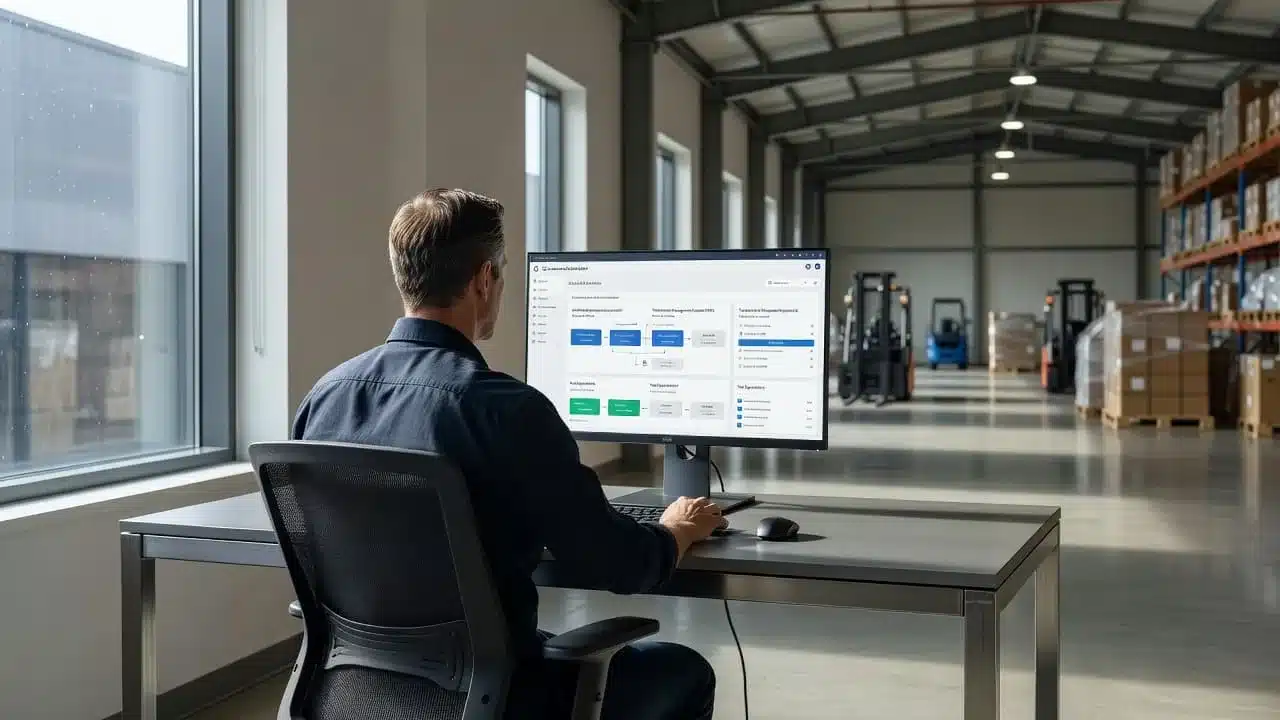
Dock scheduling works best when it shares data with the systems that control inventory, transportation, and yard activity. A booking should tell the warehouse what is arriving, the TMS when a carrier expects to arrive, and the yard where the trailer is waiting. Without those connections, teams re-enter the same details and work from different versions of the schedule.
Integrations create one operating picture across the facility. They also help reduce the gap between planned arrivals and actual dock conditions, which supports shorter dwell times, better door use, and more accurate shipment records. A WMS selection guide can help teams evaluate these connections before choosing new warehouse software.
### Coordinate inbound receiving before the truck arrives
A WMS connection gives dock scheduling access to purchase orders, expected receipts, item quantities, product types, and receiving tasks. Advance shipment notices can add carton counts, pallet details, serial numbers, and special handling instructions before the carrier reaches the gate.
That information helps supervisors prepare the right people, equipment, locations, and inspection steps. A temperature-sensitive shipment may need a refrigerated door and immediate putaway. An oversized load may require a specific door, extra labor, or a different unloading method. Electronics may need serial-number checks before the system releases them into available inventory.
ERP and EDI connections add the customer and supplier requirements behind each receipt. Purchase orders, ASNs, compliance rules, and appointment changes can move into the schedule without repeated data entry. The WMS then updates receiving progress, inventory status, exceptions, and putaway tasks as work happens.
Keep outbound picking, staging, and loading on schedule
Outbound appointment data gives the WMS a reliable target for wave planning. The warehouse can assign picking work, reserve staging lanes, prepare cartons, and select a door based on the carrier’s appointment, load size, and cutoff time.
Early picking isn’t always better. If freight reaches staging hours before the truck, it can consume space, block other orders, and increase the risk of a misplaced carton. Late picking creates a different problem, especially when the carrier has a firm departure time. Connecting appointment data with picking and shipment status helps teams release work at the right point.
The system can also support label checks, barcode scans, shipment verification, and loading confirmation. When a carton is missing or a label doesn’t match the order, staff can resolve the issue before the truck leaves.
Use shared data across multiple sites and customer accounts
3PLs and multi-warehouse operators manage different dock capacities, customer rules, carrier requirements, and appointment windows. A central view helps leaders compare activity across sites, while each facility keeps its own hours, doors, handling rules, and labor limits.
Role-based access protects account information and lets each user see the work needed for their job. Customer-specific rules can control booking windows, documentation, packaging standards, and approval requirements without forcing every warehouse to follow the same process.
TMS integration adds loads, carriers, routes, and delivery appointments. YMS integration adds trailer identity, gate check-in, yard location, spotting requests, and movement history. Together, these connections keep transportation, yard, and warehouse teams aligned. Integrated WMS, TMS, and YMS workflows reduce duplicate updates and give each team the same operational facts.
Which Dock Scheduling Software Features Should You Prioritize?
The best dock scheduling software fits your operation instead of presenting the longest feature list. Before comparing vendors, review your appointment volume, number of dock doors, site count, carrier participation, load complexity, and current WMS, TMS, ERP, or yard systems.
Start with the capabilities your team needs every day. Then assess advanced tools that can improve control as volume grows. A dock scheduling buying guide can help frame the comparison, but your own appointment flow should drive the final decision.
Choose rules that reflect your actual dock capacity
A useful system should model the conditions that determine how long a load takes. That includes door type, handling time, labor limits, equipment, product category, operating hours, breaks, holidays, and planned maintenance. Rule-based scheduling should prevent carriers from booking a door or time slot that your facility cannot support.
Avoid assigning one fixed appointment length to every load. A full truckload, parcel trailer, floor-loaded container, and small supplier delivery create very different workloads. Product temperature, pallet count, unloading method, inspection needs, and equipment requirements can also change the time required.
Ask vendors whether you can configure:
- Different calendars for receiving, shipping, shifts, breaks, holidays, and maintenance
- Appointment rules by load type, carrier, customer, product, and door
- Buffers for cleanup, paperwork, staging, and equipment changes
- Capacity limits based on labor, forklifts, dock plates, or specialized doors
If the system cannot match your real constraints, the calendar may look organized while the dock remains overloaded.
Look for simple booking and mobile check-in
Carrier self-service should show available slots without forcing drivers or suppliers into long phone calls. A simple portal lets partners request, confirm, cancel, or change appointments within the rules you set. That improves carrier participation because the process takes minutes instead of several emails.
Mobile access matters just as much inside the facility. Gate staff, drivers, and dock supervisors should be able to update appointments from a phone or tablet. QR codes can support quick check-in, while automatic arrival timestamps create a reliable record for dwell-time and detention reviews.
The workflow should also capture door assignments, status changes, notes, photos, bills of lading, and other documents from the floor. Look for statuses such as scheduled, arrived, checked in, unloading, loading, delayed, and departed. Live visibility helps supervisors act before one late truck disrupts the next several appointments.

### Review reporting, integrations, security, and support
Reports should answer operational questions, not just fill dashboards. Confirm that the system tracks wait time, dwell time, turnaround, on-time arrivals, door use, appointment changes, cancellations, and detention events. Check whether you can export data, build custom reports, and review trends by site, customer, carrier, or load type.
Native integrations or a documented API should connect the scheduler with your WMS, TMS, ERP, EDI tools, and yard system. Also review user permissions, customer separation for 3PL accounts, audit history, data retention, and security controls.
Before signing, request a live demonstration using a real appointment scenario. Test a late carrier, a blocked door, a floor-loaded shipment, and a multi-site customer. Ask who handles implementation, how training works, what support response times look like, and how the rollout will be staged.
A clear implementation plan and responsive support can matter as much as the software itself. Choose the platform your team can adopt, configure, and trust during a busy shift.
The Costs, Tradeoffs, and Limits of Dock Scheduling Software
Dock scheduling software can reduce detention, idle labor, and avoidable coordination work, but the subscription is only one part of the decision. Your real cost includes implementation, integrations, training, carrier adoption, and the operational problems the system is expected to fix.
A small site may get enough value from a spreadsheet or shared calendar. Larger facilities often need stronger controls because each scheduling mistake affects labor, yard space, customer service, and transportation costs.
When spreadsheets and email stop being enough
Manual tools work when one person manages a small number of appointments and the schedule rarely changes. As doors, shifts, customers, and carriers increase, the process becomes fragile. A carrier may receive one version of the schedule while the dock team works from another.
Warning signs include:
- Two carriers assigned to the same door or time slot
- Repeated calls asking whether an appointment is confirmed
- Missing arrival, unloading, loading, or departure records
- Unclear ownership when a truck arrives early or late
- No dependable data on wait time, dwell time, or turnaround
A spreadsheet can show a plan, but it usually cannot enforce appointment rules, capture timestamps, or notify every affected person after a change. Shared calendars improve visibility, yet they still leave staff responsible for checking capacity and coordinating exceptions.
| Option | Best fit | Main limitation |
|---|---|---|
| Spreadsheet | Small site with low volume | Conflicting versions and manual updates |
| Shared calendar | Simple appointment visibility | Limited capacity and workflow controls |
| Dedicated software | Multiple doors, shifts, and carriers | Subscription and implementation costs |
Pricing varies by site count, users, appointment volume, integrations, and feature scope. Published market comparisons show options ranging from free tools and low monthly plans to enterprise platforms costing thousands of dollars per year or more. Current dock scheduling cost comparisons illustrate how widely those models differ.

### Prepare carriers and employees for adoption
Even useful software fails when people keep a second schedule in email or a personal spreadsheet. Set clear booking rules, publish a short carrier guide, and train each role on the actions it owns. Carriers need to know how to request, change, and cancel appointments. Employees need clear instructions for check-in, door assignment, delays, and completion records.
Start with one site, one shift, or one appointment type. After the workflow works under normal conditions, expand it to other loads and facilities. A transition period gives the team time to correct slot lengths, door rules, and notification settings.
Create a fallback process for urgent loads, system outages, and approved exceptions. That process should still capture the appointment and reason afterward. Otherwise, side systems will weaken data quality and make the new schedule incomplete.
Avoid automating a broken receiving or shipping process
Software won’t fix poor door layout, insufficient labor, slow inspections, weak staging practices, or unclear ownership. It may simply make a bad process run faster and produce cleaner-looking records.
Before configuration, map the current flow from appointment request through departure. Define each appointment state, agree on expected service times, and clean master data for carriers, doors, load types, customers, and operating hours. Decide who can approve exceptions before the first rule goes live.
Then compare the investment with manual coordination, detention, overtime, idle labor, missed cutoffs, and poor dock utilization. The strongest business case comes from a measurable problem, not from adding another calendar.
How to Measure Whether Your Dock Scheduling Investment Works
A dock scheduling investment works when it changes daily decisions, not when it produces a crowded report. Measure performance before launch, review the rollout weekly, then compare monthly trends after the process stabilizes. Keep the dashboard small enough that supervisors can act on every number.
Track the few KPIs that reveal dock performance
Start with a baseline covering at least several normal operating weeks. Record the same definitions you will use after implementation, since changing the measurement method can make improvement look larger than it is.
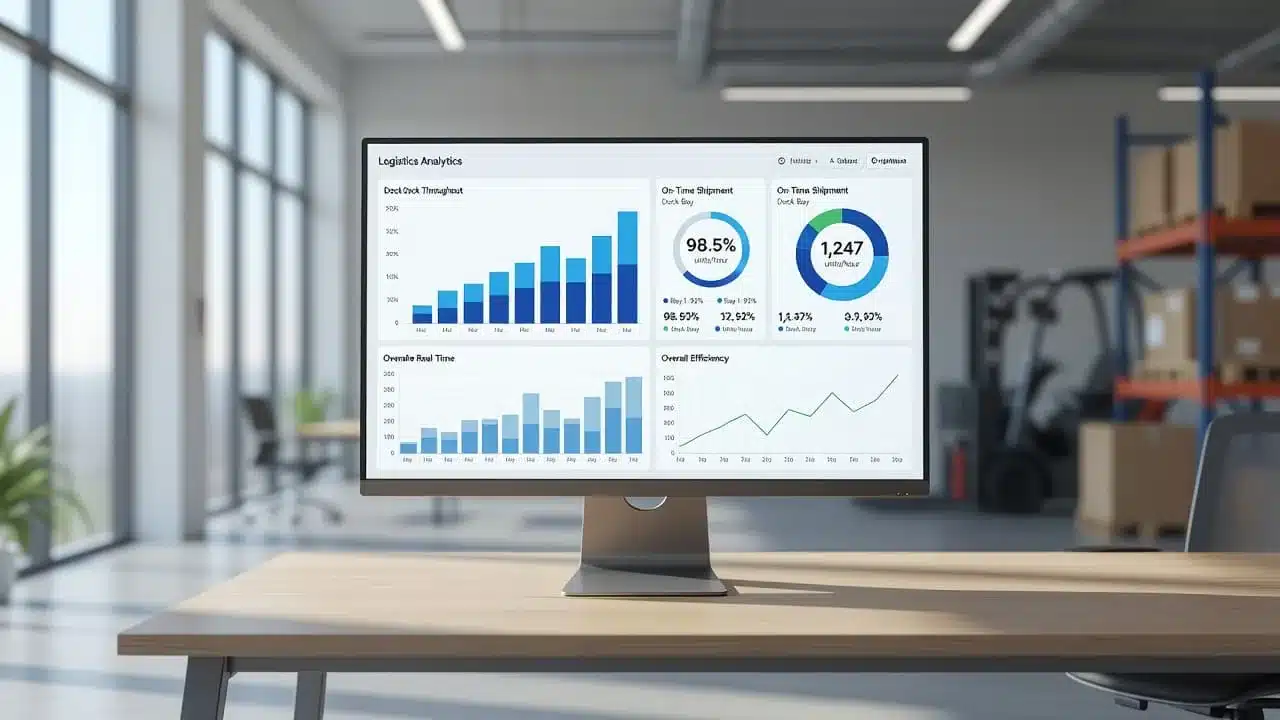
A practical dock performance dashboard includes:
- Average truck wait time: total minutes spent waiting after arrival, divided by completed truck visits. Rising wait time may require longer appointment buffers, better door assignment, or more receiving labor.
- Average turnaround time: total time from check-in to departure, divided by completed visits. Use it to adjust appointment durations and find slow loading or unloading steps.
- On-time arrival rate: trucks arriving within the agreed appointment window, divided by total appointments. A low rate may call for carrier reminders, stricter booking rules, or revised appointment windows.
- Appointment adherence: the percentage of appointments completed according to the planned time, door, and load requirements. Track it separately from arrival time because a truck can arrive on time but use the wrong door or load information.
- Dock utilization: active loading and unloading time divided by available dock time, multiplied by 100. Low utilization can indicate weak booking demand or poor scheduling. High utilization with rising waits points to a capacity problem.
- Dwell time: time from door-in to departure. This shows how long a truck occupies dock capacity, while wait time isolates the delay before processing begins.
- Throughput: pallets, cartons, orders, or loads processed per shift. Compare it with direct labor hours to calculate labor productivity, such as pallets per labor hour.
- Detention cost: detention fees paid during the period, including the minutes or hours beyond the carrier’s free-time allowance. Contract terms determine when charges begin, so don’t assume every carrier uses the same threshold.
- No-show and late-cancellation rate: missed or canceled appointments divided by total appointments. High rates waste reserved capacity and may require deposits, confirmation rules, or carrier scorecards.
- Schedule changes: appointments moved, edited, or reassigned after booking. Frequent changes can reveal inaccurate load data, unrealistic slot lengths, or poor communication.
Review speed beside quality. A faster turnaround means little if rushed receiving creates mispicks, damage, inventory errors, or rework. Connect dock reports with warehouse management software solutions so leaders can compare throughput with receiving accuracy and labor results. These dock scheduling KPIs offer useful comparison points, but your baseline should guide decisions.
Turn reports into specific warehouse improvements
Hold a short weekly review during rollout, with the warehouse manager, receiving lead, shipping lead, and transportation contact. After stabilization, switch to a monthly trend review. Assign an owner to each issue and test two or three changes before scheduling another meeting.
Patterns should lead directly to action:
- One door with long turnaround times may need a different labor mix, forklift, dock plate, or appointment length.
- A carrier with repeated late arrivals may need earlier cutoffs, narrower windows, or a new booking rule.
- High dock occupancy combined with rising wait time may justify another door, added shifts, or fewer appointments per hour.
- Repeated inbound delays may require earlier ASN submission, complete paperwork, or a new receiving priority.
- Low throughput with strong attendance may point to poor staging, excess walking, or equipment downtime.
Track each experiment against the same baseline. If a metric cannot change a process, move it out of the meeting dashboard. A short list of decisions is more useful than a large report nobody owns.
A Practical Rollout Plan for Dock Scheduling Software
A successful dock scheduling rollout starts with operational facts, not software settings. Map the current process, define measurable goals, test one busy workflow, and assign clear ownership before expanding across the facility. This approach helps your team fix real delays instead of digitizing an unreliable schedule.
Map the current process and set a clear baseline
Before configuration, document how appointments move through your warehouse today. Ask the team:
- Who books appointments, and who approves them?
- Which inbound and outbound loads require approval?
- How long does each load type usually take?
- What causes the most waiting, such as paperwork, labor shortages, staging, or blocked doors?
- Which doors handle refrigerated, oversized, floor-loaded, palletized, or parcel freight?
- Where are check-in, door-in, loading, unloading, and departure timestamps captured?
Compare the answers with several weeks of actual performance. Record wait time, dwell time, turnaround, on-time arrivals, appointment changes, no-shows, and detention events. Use consistent definitions so your post-launch results have a fair comparison.
Set goals tied to decisions, such as reducing average wait time, improving on-time arrival performance, or lowering detention costs. If a number cannot lead to a process change, leave it out of the main dashboard.
Clean the data before building rules. Remove duplicate carriers, standardize load types, verify door names, update operating hours, and confirm customer and purchase-order details. Accurate master data gives the schedule a reliable foundation.

### Pilot the busiest workflow before expanding
Start with the site, doors, shift, or appointment category that creates the most waiting and detention. A small pilot might cover one inbound receiving lane, a few high-volume carriers, and the employees who work that process. Use real load types, exceptions, late arrivals, cancellations, and shift changes.
During the pilot, verify that:
- Carriers receive confirmations, reminders, and schedule changes.
- Door rules prevent unsuitable assignments and overbooking.
- Mobile workflows capture check-in and completion events.
- Barcode scanning connects the appointment with accurate receiving or shipping activity.
- Data reaches the WMS, TMS, YMS, or other connected systems.
- Inventory visibility updates when goods are received, moved, or shipped.
A 30 to 60 day rollout can provide enough time to test normal demand, peak periods, and recurring exceptions. Treat that range as a working plan, not a fixed promise. Gather feedback after each shift, correct confusing steps, adjust slot lengths, and then expand to more doors, shifts, sites, or customers. Dock scheduling implementation guidance also supports setting goals, involving users early, and standardizing processes before wider deployment.
Create ownership for daily schedule control
Assign one schedule owner for each site or shift. That person should monitor arrivals, approve exceptions, reassign doors, and alert supervisors when delays threaten later appointments. Receiving and shipping leads should own their workflows, while an operations manager should review recurring exceptions and KPI trends.
Hold a short dock huddle before each shift. Review expected volume, labor coverage, special loads, blocked doors, late carriers, and urgent customer needs. Then hold a weekly review during rollout and a recurring improvement meeting after stabilization.
Software supports decisions, but supervisors still need to respond when demand changes, labor falls short, carriers arrive late, or urgent freight takes priority. Clear ownership keeps the schedule useful when the day refuses to follow the plan. A strong warehouse cycle time reduction process helps connect those dock decisions with the receiving, picking, and shipping work that follows.
Conclusion
A warehouse cannot keep its promises when trucks, dock doors, labor, inventory, and yard activity follow separate schedules. Dock scheduling software connects those moving parts around one shared plan, helping teams prevent appointment conflicts, shorten truck waits, improve dock utilization, and reduce exposure to detention fees. It also creates clearer accountability because carriers and warehouse staff can work from the same appointment details and event timestamps.
The strongest benefit is better operational control. Leaders can see where time is lost, prepare resources around expected arrivals, and use reliable data to address recurring delays. That visibility supports the wider capabilities found in top warehouse management system features, including better coordination between receiving, inventory, and shipping work.
Start with the numbers you already have. Measure current wait time and turnaround time, identify the scheduling problem creating the greatest cost or disruption, and test one focused workflow before choosing or expanding a system. A practical pilot gives your team evidence about what needs to change and whether the software supports that change. When carrier arrivals and warehouse capacity stay aligned, the dock becomes a controlled part of operations instead of the point where delays begin.