

When two shifts handle the same warehouse task differently, small differences can lead to stock errors, safety risks, delays, or missed shipping cutoffs. Practical Standard Operating Procedures (SOPs) for Warehouses give workers a shared way to complete each task, with clear steps for exceptions such as damaged goods, short shipments, or a failed scan.
Start by documenting the processes that most affect daily work, then write instructions in the order workers perform them. Test each procedure with the people who do the job, train every affected role, and review the SOP when equipment, systems, or workflows change. A WMS can reinforce those procedures with guided tasks and required scans; see this step-by-step WMS implementation guide for how workflows fit into system setup. This guide walks through choosing processes to document, writing useful steps, and keeping procedures current across your warehouse.
Key Takeaways
- Start with high-impact work, including receiving, putaway, picking, shipping, returns, and safety-sensitive tasks.
- Map each task as it happens on the floor, including exceptions such as damaged goods, short picks, and inventory holds.
- Write steps in order, name responsible roles, define required scans or checks, and explain when to stop and escalate.
- Test procedures with operators, train affected staff, and review versions when equipment, layouts, systems, or rules change.
- Use a WMS to reinforce scan-based workflows, then track inventory accuracy and recurring exceptions. WMS implementation services can help align documented processes with system setup.
How to Create Standard Operating Procedures (SOPs) for Warehouses
A useful warehouse SOP turns the work your team actually performs into safe, repeatable steps. Build it with operators and supervisors: observe the task, map routine steps and exceptions, then test the procedure on the floor. This practical method starts with the processes that need attention most, before you document how each one works.
Choose which warehouse processes need an SOP first
Prioritize processes by safety risk, frequency, customer impact, inventory value, recurring errors, and bottlenecks. A task that happens less often may still deserve attention first if mistakes could injure someone, damage high-value goods, or stop orders from shipping. For example, a forklift-related task with unsafe workarounds may need an SOP before a high-volume process that already runs consistently. OSHA identifies powered industrial trucks and material handling among common warehouse hazards, so include safety-sensitive work in your review.
Look across the full operation, including receiving, putaway, replenishment, cycle counting, picking, packing, shipping, returns, and system downtime. For each process, note where errors repeat, work queues build, or one person’s memory holds the steps together. If picking errors are common, document scan checks and short-pick handling; if downtime leaves staff unsure how to record movements, define the approved fallback and reconciliation process.
Start with a short priority list rather than trying to document everything at once. A reliable procedure for a high-risk or error-prone task can prevent more harm than a polished SOP for stable work. Where scanning is part of the process, review barcode scanning for warehouse inventory accuracy to see how scan points can support consistent handling.
Map the real workflow, including exceptions
Watch the work across shifts and speak with the people who perform and supervise it. Ask where delays occur, which steps get skipped under pressure, and what common mistakes require rework. A process map should follow each handoff and decision point, not just the smooth path shown in a training document.

For receiving, trace what happens when goods arrive, get counted and inspected, then move to putaway. Ask who handles damaged goods, missing labels, shortages, and overages. For picking, record what the worker does when a bin is empty, the quantity is wrong, or the item cannot be scanned. Those answers expose the decisions an SOP must make clear.
Include exceptions in the map instead of treating them as afterthoughts. Record where staff should pause, who owns the next action, and how the inventory or order status changes. When the same process runs at multiple sites, document shared steps and clearly identify approved local differences. A WMS can then guide common tasks with scans and prompts, while the SOP explains what workers should do when the expected workflow breaks.
Build a Warehouse SOP Template Workers Can Follow
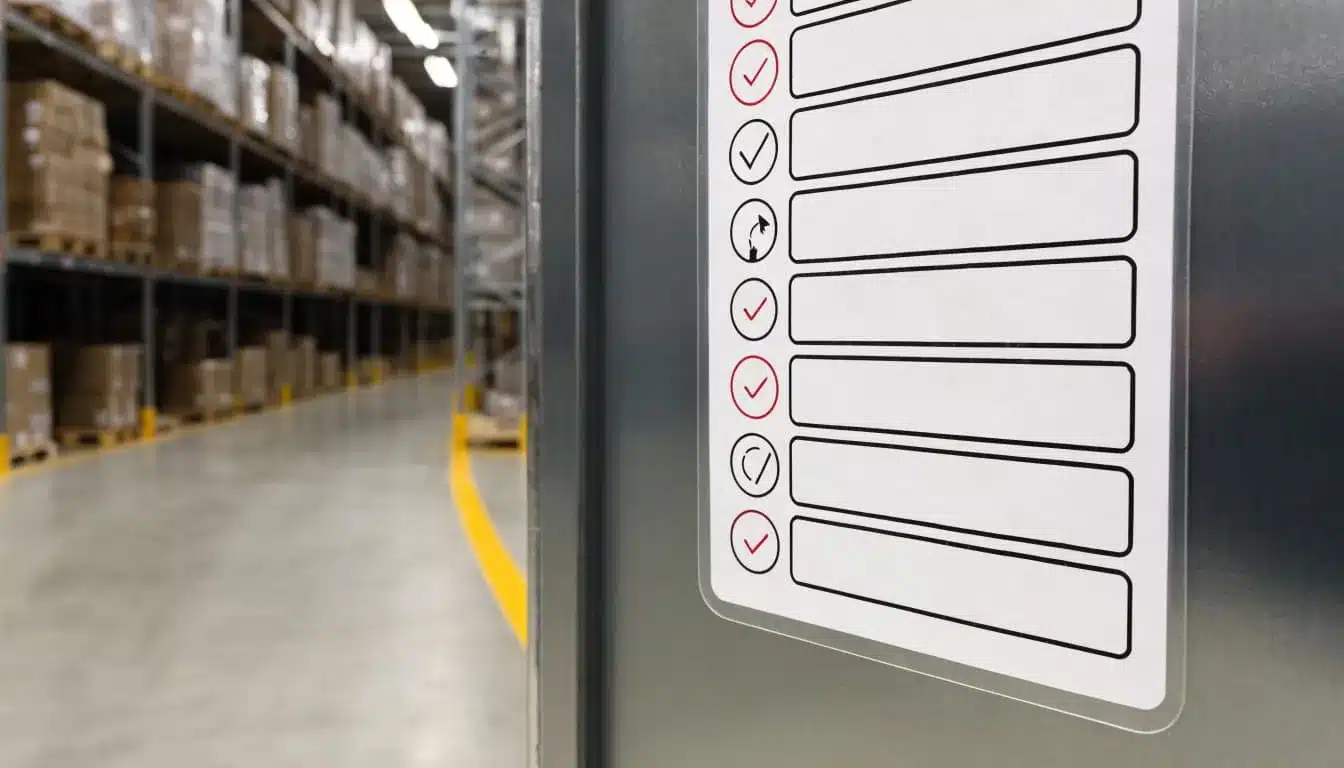
A floor-ready warehouse SOP should answer five questions quickly: What task is this, who owns it, what do workers need, what steps should they follow, and what happens when something goes wrong? Keep the format consistent across sites and shifts, then add local details where equipment, layouts, or rules differ.
Include purpose, scope, roles, tools, and safety controls
Start with the SOP title and ID, site or zone, effective date, version, process owner, and approver. State the purpose in one sentence, then define which tasks the procedure includes and excludes. For shared facilities, name the applicable client, inventory status, or location rules so workers do not apply one account’s instructions to another.
List the roles involved and what each can decide. Identify required equipment, such as a handheld scanner, pallet jack, or label printer, along with required WMS permissions and system access. Define labels, abbreviations, and terms that could otherwise cause confusion. Keep one controlled version available at the point of work, and assign an owner to update it when the workflow changes.
Place hazards and controls beside the steps where they matter. For a powered industrial truck task, include the required pre-use examination and a clear instruction to report defects and keep an unsafe truck out of service. Add local traffic controls, pedestrian separation, and task-specific PPE based on the workplace hazard assessment. Specify when workers must stop and who to contact, as well as how to report an injury, near miss, or damaged equipment. OSHA requirements vary by jurisdiction, so verify current rules with the relevant local authorities.
Write numbered steps, checks, and clear exception paths
Begin each step with a direct action, then describe what the worker can see or verify. For example, “Scan the pallet ID” is clearer than “Confirm the pallet in the system.” Add a decision point wherever the next action depends on a result.
A receiving SOP might use this pattern:
- Inspect the pallet for visible damage and compare the count with the receiving record.
- Scan the pallet ID and item labels, then confirm quantities in the WMS.
- If a label is missing, a count differs, or goods are damaged, pause the receipt and select the matching exception reason.
- Move affected goods to the approved hold or quarantine location, scan that location, and notify the supervisor.
- Release the receipt only after the authorized person approves the correction.
Define who may approve an override, how the worker records its reason code, and where unresolved issues go next. Require evidence of completion, such as item and location scans, timestamps, inspection forms, or a damage photo, according to the process. A clear warehouse inventory audit trail helps teams trace adjustments and exceptions.
For difficult tasks, add a small diagram, annotated photo, or short checklist beside the written steps. Then train new and seasonal workers on the normal scan sequence before practicing short picks, missing labels, and damaged goods. Pilot the SOP in one zone, observe workers using it, and revise unclear steps before rollout.
Document the warehouse workflows that protect accuracy and service
A warehouse SOP should follow each item and order through the operation, with clear handoffs between receiving, storage, fulfillment, and returns. When one step changes an item’s location, quantity, or status, the next team needs a reliable record of that change.

Set consistent rules for receiving, putaway, and inventory control
At receiving, identify the shipment and compare its contents with the purchase order or advance shipping notice (ASN). Define how workers check item numbers, units of measure, quantities, and visible condition. If goods are short, over, damaged, or mislabeled, have the receiver record the discrepancy, assign the correct status, and alert the authorized person before releasing stock. Capture lot, serial, or expiration details when the product or customer requires them.
For putaway, instruct workers to confirm the destination location before moving stock. A scan sequence can verify the bin and item, while separate restricted or quarantine locations keep held goods away from available inventory. Record transfers between bins or warehouses so the system reflects each move.
Inventory control also needs a repeatable counting method. Use cycle counts to check prioritized items and locations during normal operations, then investigate variances while the cause is still visible. Recount problem locations before closing an adjustment. Require a reason code and approval for sensitive corrections, and preserve the original count and approval record. A consistent process for warehouse inventory reconciliation helps connect discrepancies to receiving, movement, picking, or returns.
Make picking, packing, and shipping steps easy to verify
Define order priorities, release rules, and the picking method for each workload. A warehouse might use single-order picking for urgent orders, batch picking for similar items, or waves aligned to carrier cutoffs. Set replenishment triggers, such as a minimum pick-face quantity, and require scans at the source and destination.
If a picker finds a short quantity or the wrong item, the SOP should explain how to stop, record the exception, and request an approved substitute or replenishment. At packing, verify the order contents, quantities, packaging requirements, and shipping label before closing the carton. Then specify where orders stage, how workers confirm the carrier and service, and who records the handoff. These final checks protect both order accuracy and shipping cutoffs.
For 3PL and B2B operations, keep the core process shared while documenting client-specific carton labels, routing rules, units of measure, and packing requirements. That way, a customer’s special instruction does not become an unwritten exception.
Give returns and system outages a defined path
When a return arrives, link it to the order or authorization when available, record its condition and reason, and move it to a designated inspection area. The SOP should define who decides whether each item can be restocked, needs refurbishment, must remain in quarantine, or should be disposed of. Update its inventory status only after that decision, and record the disposition.
A WMS, network, scanner, or printer outage needs its own controlled procedure. Name the escalation contact and approved manual records, such as a numbered form that captures the item, quantity, location, time, and operator. Set rules for holding or releasing work, and prevent duplicate transactions. Once service returns, reconcile manual entries against system records, resolve mismatches, and obtain required approvals before closing the outage log.
Use training and a WMS to make SOPs work on the floor
Publishing an SOP doesn’t guarantee that every shift will follow it. Workers need hands-on practice, supervisors need a shared coaching approach, and instructions must be available where the task happens. A WMS can reinforce approved steps and record activity, but it doesn’t replace process ownership or safety training.
Train by role and test the procedure in a pilot
Train supervisors first so they can coach the same method across shifts and answer questions consistently. Then work with each role using the actual scanners, mobile devices, labels, storage locations, and stock workers handle every day. A procedure that makes sense on paper may fail when a label is hard to scan or a device prompt doesn’t match the floor.

Have each trainee demonstrate the normal workflow, then practice exceptions such as a damaged carton, missing label, short shipment, or failed scan. Ask them to show when they should pause, what to record, and who can approve the next step. Record competency sign-off by role, and provide refresher coaching when the process or equipment changes.
Before rolling out a new SOP everywhere, pilot one zone or workflow, such as receiving or cycle counting. Compare its results with the existing process using measures that fit the task, such as count variances, rework, or time to complete. Resolve unclear instructions and system issues, then expand in planned stages. This gives operators a chance to flag practical problems before the procedure becomes standard across the warehouse.
Connect SOP steps to scans, permissions, and task records
A WMS can guide receiving, putaway, picking, packing, transfers, counts, and adjustments through required scans and location-level records. For example, a receiver identifies the inbound shipment, confirms items and quantities, records any discrepancy, then scans the destination bin. If the issue remains unresolved, the workflow should route it to an authorized supervisor rather than letting the receiver change stock records without approval.
Leanafy describes Lean WMS as supporting barcode scanning, mobile workflows, and real-time inventory visibility. These are vendor-stated capabilities; check that the configured screens, permissions, integrations, and supported devices match your operation. Confirm that floor staff can complete routine tasks without unnecessary screen changes, while supervisors have the access needed to review exceptions and approve restricted actions. For details on the product’s stated functions, see Leanafy’s warehouse management system.
Use task records to show what happened, where it happened, and who completed or approved the action. That history helps supervisors investigate recurring variances and verify that workers followed the documented process. Still, the WMS should support an SOP, not define ownership by itself: process owners must keep instructions current, and safety requirements need direct training and supervision.
Keep procedures current with ownership, audits, and useful measures
A warehouse SOP needs an owner after launch, not just a publication date. Assign a process owner to maintain each procedure and an approver to authorize changes, then connect audits and performance data to practical improvements.
Set review triggers and control document versions
Show the version number, effective date, approver, change summary, revision history, and next review date on every SOP. Set a review schedule that fits the procedure’s risk and how often the work changes. Also reopen it after an incident or near miss, an audit finding, facility or equipment changes, WMS configuration changes, or repeated process failures.

Limit editing rights to authorized roles, and make the approved copy easy to find at the point of work. When a revision changes task order, safety controls, system steps, or approval authority, train affected workers before the updated procedure takes effect. Remove or clearly mark obsolete copies so staff do not follow different versions across shifts.
During audits, compare the documented steps with actual work, including exception handling and WMS records. Record gaps, assign follow-up actions, and check whether the change fixed the cause. The goal is to improve the process, not blame the worker who surfaced a problem.
Track a small set of SOP-linked warehouse KPIs
Choose a few measures tied to procedures and operating goals. For each one, define the formula, owner, data source, review cadence, and what the team should do when results move outside the expected range. A WMS can provide scan and transaction data, while floor checks can help verify that the numbers reflect actual work. See this guide to warehouse KPI management for more on selecting and reviewing measures.
Useful starting points include:
- Dock-to-stock time: elapsed time from a defined receipt event until inventory is available for use.
- Receiving accuracy: correctly received lines divided by total receipt lines, multiplied by 100. Define whether errors include item, quantity, lot, or condition.
- Picking accuracy: correct picked lines divided by total picked lines, multiplied by 100. State whether the measure includes wrong items, quantities, or missing scans.
- Inventory accuracy: matching system records divided by records counted, multiplied by 100. Set a clear tolerance and counting method.
- On-time shipment rate: orders shipped by the defined cutoff or promised ship date divided by orders due, multiplied by 100.
- Near-miss reporting: track reports alongside investigation and corrective-action completion. A higher report count alone does not prove conditions have become less safe.
Pair speed with quality: review receiving accuracy alongside dock-to-stock time, and pick rate alongside picking accuracy and safety checks. Published benchmark ranges can offer context, but they are examples, not universal targets. Set expectations from your baseline, customer commitments, and process needs, then use audit findings and KPI trends to decide what to test next.
Frequently Asked Questions
These answers address practical decisions that come up after you draft Standard Operating Procedures (SOPs) for Warehouses, from keeping instructions usable to managing differences across sites.

How long should a warehouse SOP be?
There’s no ideal page count because task risk and complexity determine how much detail workers need. A routine scan task may need only a few steps, while hazardous work or complex exceptions require clearer stop points, checks, and escalation instructions. Keep each step concise, and use a brief diagram or photo when it explains the work faster than more text.
Who should write and approve warehouse SOPs?
The process owner should lead the draft with input from frontline operators and supervisors, who can confirm that the instructions match actual work. Add safety, quality, or IT reviewers when the task involves hazards, inspection standards, or system controls. A named approver should authorize the final controlled version, with a clear owner responsible for updates.
How often should warehouse procedures be reviewed?
Set review timing according to risk and how often the process changes; one schedule won’t fit every SOP. Review a procedure after an incident, audit finding, equipment or system change, or repeated KPI problem. In the U.S., OSHA does not set a universal annual review rule for all warehouse SOPs, although specific standards have requirements, such as annual inspections of covered lockout/tagout procedures.
How can a warehouse confirm that workers follow an SOP?
Supervisors can observe the task directly and use competency checks to confirm that workers can complete routine steps and handle exceptions. Scan and task records show whether required actions occurred, while audits of outcomes such as count accuracy or packing errors reveal whether the process is working. When checks find gaps, investigate unclear instructions, training needs, or system barriers before treating the issue as noncompliance.
Can one SOP work across multiple warehouse sites?
A shared core procedure can keep essential steps consistent, but local details may differ because of layout, equipment, safety controls, or customer requirements. Document approved site-specific add-ons and keep them under version control, so local variation doesn’t change the core process without review. This approach supports standardized warehouse SOPs across locations while giving each site clear instructions for its own conditions.
Conclusion
Effective Standard Operating Procedures (SOPs) for Warehouses start with observing the work as it happens. Write clear steps and exception paths, train each role, and review results to keep procedures useful on the floor.
Start with one high-impact workflow, test it with the team, and improve it before expanding. When it fits your operation, warehouse software such as Leanafy can support scan-confirmed tasks and shared visibility, while your team remains responsible for following and maintaining the process. For teams aligning procedures with system setup, this WMS migration planning guide covers preparing workflows and inventory for a transition.