

Replacing a legacy WMS can raise valid concerns: delayed orders, missing inventory records, confused warehouse staff, and unhappy customers. However, a WMS change doesn’t have to shut down your operation or put every order at risk.
A controlled migration starts with careful discovery and process mapping, followed by clean item, customer, location, and open-order data. You’ll also need tested integrations, role-based training, verified labels and devices, and a staged cutover that gives your team time to resolve exceptions before go-live. Running legacy and new workflows in parallel for a defined period can add control, but it won’t remove the need for backups, inventory checks, and clear escalation contacts.
Leanafy’s warehouse management system is a cloud-based option for 3PLs, distributors, manufacturers, ecommerce businesses, and fulfillment teams, with tools for inventory visibility, barcode scanning, mobile workflows, multi-warehouse operations, reporting, and integrations. The practical migration plan below covers what to prepare, how to test the system, how to manage parallel operations, and which measures show whether the switch is working. Start by defining your current workflows, data risks, and go-live requirements.
How to Switch from Legacy WMS to Leanafy WMS Without Downtime
A no-downtime WMS migration keeps receiving, putaway, picking, packing, shipping, and inventory control running throughout the change. It doesn’t mean every warehouse function switches at the same moment. A phased rollout is safer because your team can validate each workflow, correct exceptions, and protect active orders before expanding the new system.
The complete migration path is:
- Discover current workflows, risks, and success measures.
- Map standard processes and exceptions.
- Clean and organize master data.
- Plan integrations and dependencies.
- Configure Leanafy for your warehouse.
- Test data, workflows, devices, labels, and integrations.
- Train employees by role.
- Run a controlled pilot.
- Cut over in planned batches.
- Provide post-launch support and monitor results.
Discover and map the operation
Start with interviews and floor observations involving warehouse leaders, operators, customer service, finance, and IT. Document how work actually happens, including spreadsheets, manual workarounds, priority orders, damaged inventory, short shipments, and other exceptions.
Map receiving, putaway, replenishment, picking, packing, shipping, cycle counting, returns, and inventory adjustments. Then define measurable targets, such as inventory accuracy, order accuracy, same-day receiving, and shipping cutoffs. A WMS implementation guide can help organize these workstreams before configuration begins.

### Clean data and plan dependencies
Review SKU codes, barcodes, units of measure, dimensions, locations, customers, suppliers, lots, serial numbers, and opening inventory. Remove duplicates, retire inactive records, standardize naming, and reconcile system quantities with physical counts. Data should move in dependency order, so locations and item records exist before stock balances load.
Next, list every connection to ecommerce platforms, ERP or accounting software, EDI, carriers, marketplaces, printers, scanners, and reporting tools. Test how orders, inventory updates, shipment confirmations, and tracking data will move between systems. Integration gaps often create more disruption than the WMS itself, so document owners, timing, error handling, and rollback steps.
Configure, test, and train
Leanafy supports real-time inventory visibility, barcode scanning, mobile workflows, multi-warehouse operations, reporting, and integrations. However, the final setup depends on your warehouse’s products, processes, locations, users, and connected systems. WMS implementation services can support workflow design, configuration, data migration, integration testing, and training.
Run several test cycles with realistic data. Cover receiving, picking, packing, shipping, replenishment, cycle counts, returns, labels, scanners, permissions, and exception handling. Warehouse employees should perform day-in-the-life tests, not just review demonstrations.
Pilot, cut over, and support the launch
Begin with one aisle, product line, warehouse, or customer account. Compare Leanafy results with the legacy WMS during a short parallel run, then expand only after inventory and order results match.
Schedule the final cutover around order volume, back up the legacy system, freeze agreed data, and assign named escalation contacts. Batch remaining operations instead of forcing a big-bang launch. During post-launch support, monitor inventory reconciliation, order accuracy, processing times, integration errors, and user issues daily. Keep the legacy system available for reference until the new workflows remain stable. A phased migration strategy reduces risk while keeping the warehouse moving.
Build a Migration Plan Around Your Warehouse’s Real Work
A WMS migration plan should reflect the work your team performs every day, not just the features listed in a software demo. Before configuring Leanafy, define the people, workflows, decisions, data, and integrations that will control the rollout. A clear WMS project roadmap gives each phase an owner and prevents important tasks from getting buried between departments.

Name an executive sponsor who can remove barriers and approve major decisions. Assign a project owner to manage the schedule, risks, and action items. The warehouse lead should represent floor-level realities, while an IT or integration lead owns interfaces, devices, and technical testing. Include a finance representative for billing and inventory valuation. For a 3PL, representatives from key client accounts should also review customer-specific rules and service requirements.
Set a target go-live date, then define the rules for changing it. For example, unresolved inventory variances, failed carrier labels, or incomplete order testing may trigger a delay. Publish a communication plan with weekly stakeholder updates, role-based training dates, escalation contacts, and short daily check-ins during launch week. Document the rollback plan before testing starts, including who can authorize it, what data must be preserved, and how the legacy WMS will remain available for reference.
Decide What to Keep, Improve, or Retire
Walk through the actual warehouse process with the people who perform it. Map receiving, putaway, replenishment, picking, packing, shipping, cycle counting, returns, inventory adjustments, and inventory holds. Record each handoff, approval, scan, queue, and exception. A process map should show what happens when a shipment arrives short, stock is damaged, an order is urgent, or a customer account has special instructions.
For every workflow, ask whether it improves accuracy, speed, traceability, compliance, customer service, or billing. Keep controls that protect those outcomes. Review client-specific rules, lot and serial tracking, expiration dates, quality checks, holds, cross-docking, kitting, returns, and special packaging with the appropriate owners.
Legacy systems often contain workarounds that look like requirements. A spreadsheet may exist because the old WMS cannot produce a usable report. A manual approval may exist because users lack proper permissions. A custom exception may have solved a problem that no longer exists. Document these details, then decide whether to keep, redesign, or retire each one.
A legacy workaround is evidence of a past problem, not proof that Leanafy should reproduce the same process.
Establish a baseline before changing anything. Capture order accuracy, inventory accuracy, receiving time, pick rate, refund or return processing time, and same-day shipping rate. Track only measures that can lead to a decision. If a metric cannot change a process, leave it out of launch meetings.
Map Every Integration Before Data Moves
List every connection to ecommerce stores, marketplaces, ERP and accounting systems, EDI tools, carriers, shipping platforms, and customer portals. Leanafy may connect with systems such as Shopify, Amazon, QuickBooks, UPS, FedEx, and EDI tools, but confirm each connection during discovery rather than assuming it is ready.
For each interface, identify the source of truth for orders, SKUs, inventory, prices, tracking numbers, and billing events. Document field mappings, update timing, ownership, error handling, and test cases. A missing integration can create duplicate orders, overselling, incorrect shipping labels, missing tracking updates, or billing gaps. Test those failure points before production data moves, then include them in daily launch checks.
Clean and Validate Your WMS Data Before Importing It
Poor data is one of the most common causes of WMS migration problems. A new system can process clean records accurately, but it can’t fix duplicate SKUs, incorrect quantities, missing barcodes, or inconsistent location names during import. Before moving data into Leanafy, treat the migration file as an operational baseline that your warehouse can trust.
Start by reviewing SKU names, product descriptions, units of measure, barcodes, case packs, dimensions, weights, warehouse locations, lot numbers, serial numbers, expiration dates, customer records, open orders, inventory quantities, and user permissions. Remove duplicate SKUs, retire inactive records, close stale orders, resolve negative inventory, and agree on naming rules across every site. Then compare system quantities with physical counts instead of assuming the legacy WMS is correct.

A WMS implementation guide also highlights data cleansing for inventory counts, location naming, and product attributes. Keep an audit copy of the original export, then record each correction in a controlled working file. That history helps you explain what changed and restore the source data if a problem appears later.
Create a field mapping document before anyone loads production data. At minimum, include:
- The legacy field name and the matching Leanafy field.
- The required format, such as text, number, date, barcode, or approved status value.
- The person responsible for confirming the field.
- The validation method, such as duplicate checks, sample scans, range checks, or physical verification.
For example, standardize an item recorded as AB-100, AB100, and ab 100 under one approved SKU, such as AB-100. If the legacy system records one case as 12 EA while another file uses 1 CS, define the conversion clearly: 1 CS = 12 EA. Apply that rule to inventory balances, purchase orders, sales orders, and reporting so the same stock doesn’t appear under conflicting quantities.
Choose a Safe Inventory Count and Cutoff Method
Your count method should match warehouse volume, item value, staffing, and site structure. A full physical count gives the strongest baseline and fits smaller operations or warehouses with manageable stock. However, high-volume facilities may lose too much operating time if they stop every movement for a single count.
A cycle-counted migration can work when your existing count program is reliable. Count high-value and high-volume SKUs first, then cover the remaining inventory using a documented schedule. A controlled location-by-location count is often practical for large warehouses and multi-site 3PLs. Each aisle, client account, or facility can reach a verified status while other areas continue operating under defined controls.
| Method | Best fit | Main control |
|---|---|---|
| Full physical count | Smaller sites or high-risk conversions | Stop or tightly restrict movement |
| Cycle-counted migration | Accurate, mature counting programs | Prove coverage and reconcile variances |
| Location-by-location count | High-volume and multi-site operations | Mark completed locations and track movements |
During the final count, freeze inventory adjustments or require supervisor approval. Record every receipt, pick, transfer, return, damage, and adjustment after the snapshot. Reconcile variances before launch, then import only the approved opening balances. Inventory accuracy matters more than importing a large file quickly.
Protect Sensitive and Traceable Product Data
Regulated, perishable, serialized, and high-value goods need extra validation. Confirm lot and batch numbers, serial numbers, expiration dates, hold and quarantine status, and final disposition fields. A missing expiration date can release expired stock, while a lost serial number can break warranty, return, or recall research.
Test representative transactions with real or safely masked records. Sample receiving, allocation, picking, shipping, returns, and recall-related lookups. Confirm that the correct lot or serial follows the item through each step, and verify that held or quarantined stock cannot enter normal allocation.
Compliance requirements depend on your products, contracts, and operating locations. Confirm them with the business owners and relevant authorities rather than assuming a WMS feature satisfies every obligation. Before go-live, have warehouse, quality, customer, and compliance stakeholders approve the traceability rules and exception process.
Configure Leanafy WMS for a Controlled Transition
Configuration is where documented warehouse processes become working rules in Leanafy. Build the setup around your actual locations, inventory controls, user responsibilities, and order flows. Start with a simple standard process, then add exceptions after the core workflow performs reliably.
Set Up Roles, Devices, and Barcode Workflows
Create least-privilege access for each user group. Administrators can manage system settings and integrations, while supervisors approve adjustments, holds, and exceptions. Receivers need inbound and putaway permissions. Pickers and packers should access only the tasks required for their stations. Customer service needs order and inventory visibility without unrestricted adjustment rights. Clients should see their own inventory, orders, and activity, not another account’s data.
For 3PLs, configure separate client accounts, SKU ownership, storage events, handling events, and contract-based billing rules. Confirm whether each client requires separate visibility, lot or serial tracking, special packaging, or approval steps.
Set up warehouses, zones, aisles, bins, staging areas, quarantine locations, and shipping lanes before loading inventory. Item records should include SKU IDs, barcode formats, units of measure, case packs, pallet quantities, dimensions, storage requirements, lots, serial numbers, and expiration dates. Define scan requirements for receiving, putaway, picking, packing, transfers, counts, returns, and adjustments.
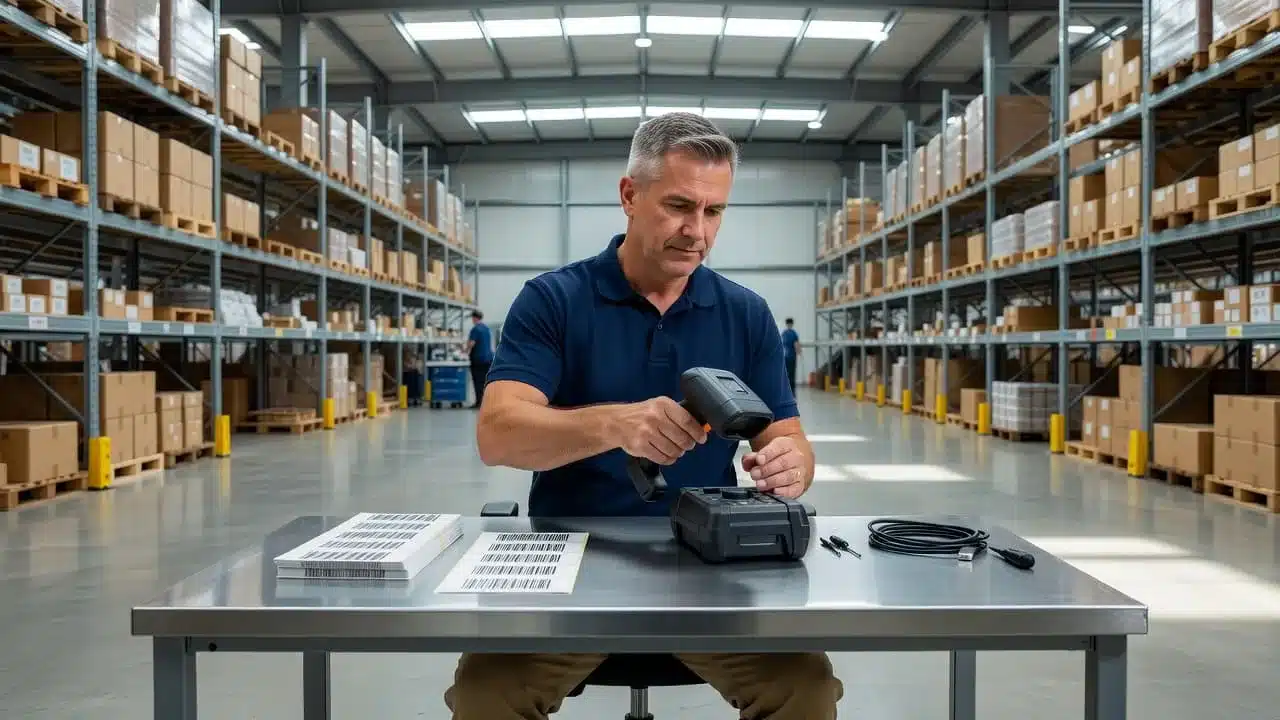
Use mobile devices where work happens. Test smartphone scanning, Zebra scanner attachments, label printers, charging stations, spare batteries, and backup equipment. Check wireless coverage at docks, racks, packing benches, and staging areas. Every barcode type used in the building should scan correctly, including product, case, pallet, location, and shipping labels. Run a floor test during the same shifts planned for launch, since coverage, lighting, noise, and workload can change by shift.
Configure receiving rules, directed putaway, inventory statuses, replenishment thresholds, picking methods, packing requirements, carrier accounts, shipping methods, and label formats. System-directed picking, scan-to-pick confirmation, order batching, carrier rate shopping, and real-time inventory updates can reduce manual touches when each rule matches floor reality. Test returns with inspection, disposition, refund triggers, restock, quarantine, and disposal paths.
Recreate Reports That Help People Make Decisions
Don’t rebuild every legacy report by default. Keep reports that trigger action, such as open orders, empty bins, inventory accuracy, stock movement, receiving backlog, pick errors, late shipments, returns, and client billing events.
Create a small launch dashboard for supervisors and leaders. It should show current queues, exceptions, inventory variances, cutoff risks, and integration failures. For returns, track time to refund, time to restock, return reasons, and support contacts per return only if someone owns the next process change.
Compare each Leanafy metric with its legacy equivalent before launch. Confirm the filters, timestamps, statuses, units of measure, and calculation rules. A report may change because its definition changed, not because warehouse performance changed. The WMS implementation guide also emphasizes validating reports and KPIs during testing and cutover. Keep the definitions documented so leaders make decisions from the same operational facts.
Test Integrations and Warehouse Workflows Before the Cutover
A login test proves very little. Your migration is ready only when an order, inventory record, scan, label, shipment, and billing event move correctly through every connected system. Use realistic, production-like data and record each expected result, actual result, defect, owner, and retest date. A structured WMS implementation guide can help organize these testing stages.

### Run Realistic Test Scenarios From Receiving to Shipping
Build a complete test case around a purchase order or inbound receipt. Receive the shipment with a barcode scan, complete the quality check, record any lot or serial requirement, and put the inventory into the assigned location. Then allocate stock to an order, release a batch or wave pick, scan the items, confirm packing, print the shipping label, send the tracking update, and close the order.
Repeat that flow with normal orders and deliberate exceptions. Test partial shipments, backorders, approved substitutions, damaged goods, inventory holds, short receipts, failed scans, and client-specific packing or billing rules. Include returns and exchanges, with inspection, disposition, restock, quarantine, refund, or replacement steps. For traceable products, confirm that the correct lot or serial number remains attached through receiving, picking, shipping, and return processing.
Test each connection separately before testing the complete chain. Unit tests should confirm that every message type, field mapping, barcode, label, and status update works on its own. End-to-end tests should then move an order through the storefront, Leanafy, carrier, customer notification, and accounting or billing system.
Failure testing matters just as much. Create duplicate orders, missing scans, bad addresses, carrier outages, rejected EDI documents, and interrupted internet service. Confirm that the system blocks unsafe actions, preserves the transaction, shows a useful error, and gives staff a documented recovery path. These WMS integration cost risks often appear when teams test only the normal path.
Run volume tests with peak-like order counts, RF transactions, label requests, and concurrent users. Then conduct user acceptance testing with receivers, pickers, packers, supervisors, customer service, and billing staff. A test passes only when the expected transaction completes, inventory and statuses match, no duplicate record appears, and the responsible user can recover from an error. Process owners must approve the results in writing before the pilot or cutover proceeds.
Reconcile the Two Systems During Parallel Operations
Keep the legacy WMS available as a fallback during a short, controlled pilot. Limit the pilot by warehouse, client, order type, or product group so the team can compare results without creating two competing sources of truth.
Before work begins, define transaction ownership. For example, Leanafy may own receiving, allocation, picking, and shipping for pilot orders, while the legacy WMS remains read-only for reference and handles non-pilot work. Without this rule, both systems can send duplicate updates or change the same inventory balance.
At set times each day, compare:
- Order status and open-order counts.
- Available and allocated inventory.
- Shipped quantities and tracking numbers.
- Adjustments, holds, returns, and exchanges.
- Billing events, storage charges, and handling activity.
Investigate every variance, even when the total quantity appears correct. A matching inventory total can hide an incorrect lot, location, client owner, or order allocation. Set a short parallel period with written exit criteria, such as matched control totals, accepted exception reports, successful recovery tests, and signed approval from warehouse, IT, customer, and finance owners. Once those conditions hold, move forward. Running two systems indefinitely creates more confusion than control.
Train the Team and Launch in Phases Instead of All at Once
A technically correct WMS can still fail if warehouse employees don’t know what to scan, when to stop, or who handles an exception. Training and rollout planning must prepare people for real transactions, not just system screens.
Use role-based, hands-on training with the devices and sample inventory employees will use after launch. Supervisors should train first, then coach each shift through practice sessions. Warehouse training should cover safety as well as system steps, since rushed or unclear workflows can create both operational and inventory risks. Warehouse training best practices can also help structure training around safe, repeatable work.
Start with one site, client, zone, order channel, or product group. Choose a scope that limits risk while producing enough activity to test the process. Expand only after the pilot meets agreed targets for inventory reconciliation, scan success, order accuracy, shipping speed, and unresolved issues.
Schedule extra coverage during the pilot. Assign experienced employees to regular work while super-users support scanning, troubleshooting, and questions on the new process. Avoid launching during the busiest seasonal window unless the business has no practical alternative. If peak-season timing cannot change, reduce the first rollout scope, add support coverage, and pause nonessential configuration changes.
Prepare a Go-Live Command Center
Create a command center with named owners before the first production transaction. The operations owner handles floor decisions and staffing. The integrations owner monitors order, inventory, carrier, and accounting connections. An inventory owner manages counts, adjustments, holds, and reconciliation. A customer communication owner provides updates to clients and customer service. The vendor support owner coordinates questions that require Leanafy assistance.
Keep one shared issue log that everyone can access. Each entry should include:
- The problem and affected workflow.
- Severity and business impact.
- A named owner.
- The current workaround.
- A due date and next review time.
Place one-page job aids near the workstations for receiving, picking, packing, shipping, cycle counts, returns, and inventory corrections. Each guide should show the required scans, the stop conditions, and the person to contact when the workflow fails. Quick references are especially useful during shift changes, when employees cannot rely on the same trainer being nearby.
Confirm support contacts, escalation channels, device spares, label supplies, and backup internet procedures before launch. Hold a short morning review to assign priorities and review expected volume. Run an end-of-shift review to reconcile results, close resolved issues, and hand off open risks.
Use a clear priority rule: safety issues, inventory accuracy problems, and customer-critical shipping failures come before cosmetic report changes. A dashboard color or report layout can wait. A shipment with the wrong item, a failed scan that affects stock, or an unsafe workaround cannot.
Keep a Rollback Plan That the Team Can Actually Use
Define pause or rollback triggers before go-live. These may include failed inventory reconciliation, broken order feeds, missing shipping labels, widespread scan failures, duplicate transactions, or order accuracy below the approved threshold.
Set the last safe point for returning to the legacy WMS. For example, the team might stop accepting new pilot orders in Leanafy, finish or quarantine transactions already in progress, and return new work to the legacy system. Every transaction created in Leanafy must be recorded in a reconciliation log with its order number, inventory movement, shipment status, and follow-up owner.
Rollback is not a substitute for testing. Before launch, practice the decision with supervisors and system owners. Walk through who can authorize it, which integrations must be paused, how labels are handled, and how inventory is reconciled afterward. A short rehearsal prevents hesitation when a real failure threatens customer orders.
Measure the First 30 Days With Clear WMS Migration KPIs
The first month after go-live should answer one practical question: is the warehouse gaining control, or are employees compensating for unresolved problems? Compare daily results with the pre-migration baseline, then review trends by site, shift, client, SKU, and order type. A warehouse management system only creates value when its data leads to better operating decisions.

### Fix Root Causes Instead of Blaming the New System
Use a short scorecard that covers inventory accuracy, order accuracy, scan compliance, receiving time, pick rate, packing errors, on-time shipment rate, system uptime, integration failures, support tickets, training time to standard, and backlog age. For returns, add time to refund, time to restock, recovery rate, and contacts per return when those measures apply.
A metric belongs in the review only if it can lead to a process change. If scan compliance drops, observe the work and check barcode quality, device access, or skipped steps. If receiving time increases, look for missing scans, unclear inspection rules, or insufficient dock staffing. High mispicks may come from poor location labels or look-alike SKUs, while delayed shipping may result from an incorrect carrier cutoff rather than a WMS defect.
Sort each issue into a clear cause category:
- Data, such as incorrect units of measure or missing barcodes.
- Configuration, such as an unsuitable picking rule or carrier cutoff.
- Training, when employees misunderstand a scan or exception step.
- Integration, when orders, inventory, or tracking updates fail to transfer.
- Equipment, including weak wireless coverage, faulty scanners, or unavailable printers.
- Process, such as unnecessary approvals or unclear return routing.
- Staffing, when volume exceeds trained labor capacity.
Hold a weekly improvement review during stabilization. Assign an owner, test a focused correction, and check the result the following week. Once performance stays steady, move to a monthly operating review. The warehouse KPI guidance from MHI supports using measures that connect system reliability with inventory and fulfillment performance.
Use Real-Time Visibility to Keep Improving Operations
The first 30 days are only the starting point. Once the core rollout is stable, use real-time visibility to improve replenishment speed, inventory control, client reporting, and fulfillment decisions. Review whether teams can see available stock, open work, exceptions, and order status without combining spreadsheets from several systems.
Multi-warehouse visibility helps leaders compare sites and identify whether a problem affects one location or the wider operation. Customizable reporting can then show trends by client, SKU, shift, or order type. As confidence grows, expand automation for replenishment alerts, scan-based updates, order routing, and recurring reports. The goal is fewer manual touches and faster decisions supported by reliable operating data.
The Payoff of Moving From a Legacy WMS to Leanafy
A careful move from a legacy WMS to Leanafy should produce more than a newer interface. The practical payoff is better control over daily warehouse work, clearer inventory status, and faster answers when leaders need to make decisions.
The results depend on data quality, configuration, training, and adoption. However, replacing spreadsheets and disconnected workarounds can give your team a stronger operating foundation without promising guaranteed savings or a fixed return.

### Replace Manual Work With Traceable Processes
Legacy WMS environments often depend on spreadsheets for stock checks, client reporting, replenishment, exception tracking, or shipment follow-up. Those files may fill temporary gaps, but they also create multiple versions of the truth. A barcode-based workflow in Leanafy can connect scans with receiving, putaway, picking, packing, shipping, returns, and adjustments.
That traceability makes each inventory movement easier to review. Supervisors can investigate a variance by location, user, order, or transaction instead of searching through emails and manually updated files. The same visibility can help 3PL teams answer client questions without asking warehouse staff to recreate the history.
Connect Operational Improvements to Measurable Results
The business case becomes clearer when you tie system benefits to baseline metrics. Better scan compliance may reduce mispicks and rework. Faster receiving and restocking can return sellable inventory to availability sooner. Clearer order status can reduce customer support contacts, while more consistent shipping can improve service performance across accounts.
Track a focused group of measures after go-live:
- Inventory and order accuracy.
- Receiving and restock time.
- Mispicks, rework, and shipping exceptions.
- Support contacts related to order or inventory status.
- Performance by warehouse, client, shift, or order type.
If a metric cannot lead to a process change, leave it out of the weekly review.
Compare the Full Cost, Not Just the License
Leanafy pricing is generally quote-based and may depend on locations, order volume, users, integrations, and required features. Ask for costs across implementation, data migration, training, devices, integrations, support, and future expansion. A WMS cost breakdown overview can help structure that comparison.
Pricing benchmarks also vary widely by warehouse size and complexity. For example, WMS pricing models show how user counts and feature tiers can change software costs. Compare the first-year and ongoing operating cost against measurable improvements, rather than judging the decision by a monthly license alone.
Conclusion
A no-downtime WMS migration is an operations project, not just a software installation. The safest path starts with documenting the current process, cleaning and reconciling data, mapping integrations, and configuring the core workflows around how your warehouse actually operates.
Next, test realistic receiving, picking, packing, shipping, return, and exception scenarios. Train each role with the devices and workflows employees will use, then pilot Leanafy in a controlled area before expanding. Protect a practical rollback path, keep responsibilities clear during launch, and track a focused KPI scorecard after go-live. Inventory accuracy, order accuracy, scan compliance, integration errors, shipping performance, and issue backlog should lead to specific process decisions.
Start with a small discovery project and define success before configuration begins. That approach gives your team a clear baseline, exposes migration risks early, and creates measurable criteria for moving ahead. Then evaluate whether Leanafy fits your warehouse sites, client requirements, product types, integrations, and growth plans. A well-planned transition protects daily operations while giving your team a stronger foundation for accurate, visible, and repeatable warehouse work.