

D2C warehouse ops look simple from the outside, until you’re staring at hundreds of small orders that all need to ship today. Mix in fast delivery promises, frequent returns, and a catalog that keeps growing, and mistakes get expensive fast. One wrong pick can trigger a reship, a refund, and a bad review.
A warehouse management system (WMS) is software that helps you control what’s in your warehouse, where it’s stored, and how each order moves from receiving to shipping. It replaces guesswork with step-by-step workflows, real-time inventory updates, and checks that catch errors before a box leaves the dock.
This guide breaks down the essential features to look for in a WMS for d2c warehouses, with no vendor talk and no fluff. You’ll see what matters most for keeping inventory accurate (even across lots of SKUs), picking fast (without relying on tribal knowledge), and shipping smooth (labels, carrier choices, and tracking that don’t slow the line).
If you’re tightening up your fulfillment process end to end, this also pairs well with https://leanafy.com/order-fulfillment-guide/ for a broader view of DTC fulfillment flow and common bottlenecks.
What makes a D2C warehouse different, and why a basic system breaks
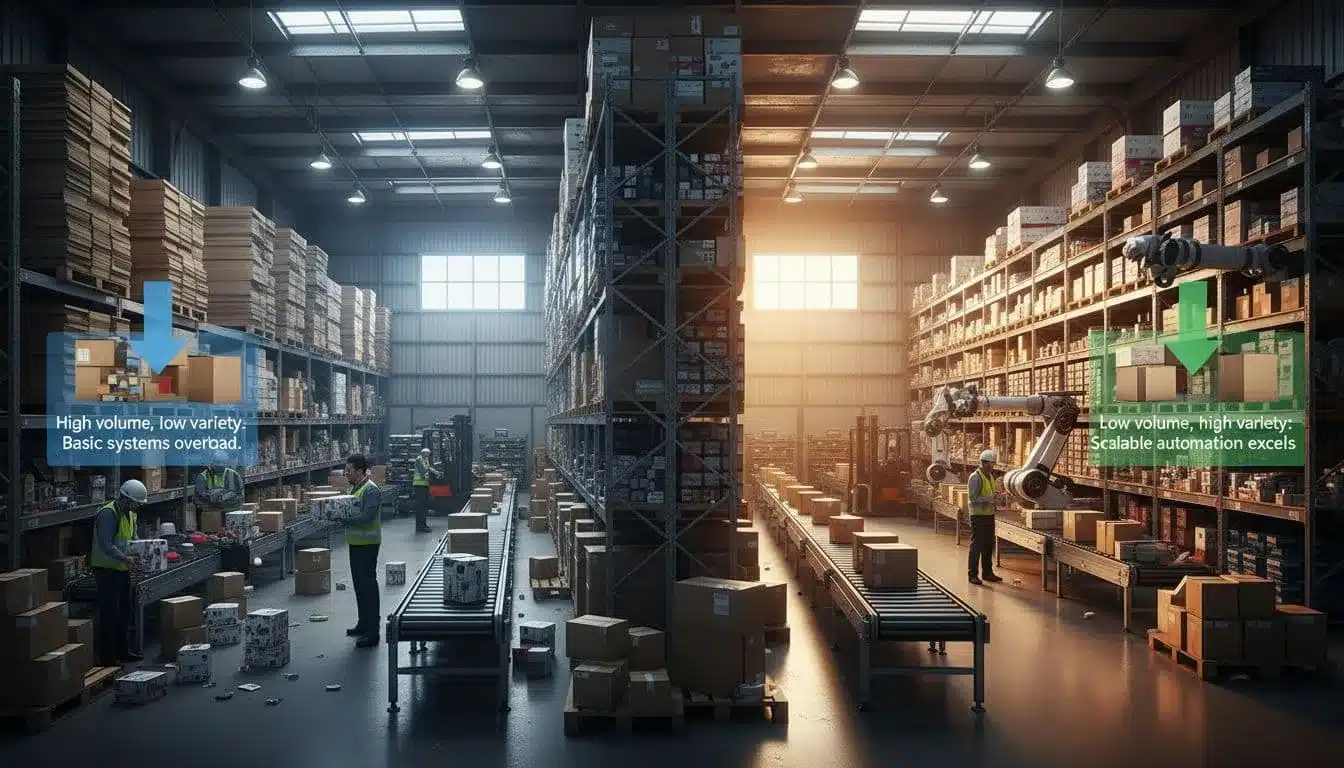
A D2C warehouse doesn’t run like a pallet-in, pallet-out operation. Most orders are 1 to 3 items, all going to different addresses, with customers expecting fast shipping and perfect accuracy. Then you stack on a product drop, a flash sale, and holiday volume, and the warehouse turns into a time trial.
That’s where a basic system (spreadsheets, simple inventory apps, or a generic “pick list” tool) starts to crack. It can store counts, but it doesn’t control the work. A WMS for d2c needs to direct each step on the floor, keep inventory honest in real time, and treat returns as part of daily throughput, not an afterthought.
Small orders at high speed: why pick, pack, and ship becomes the bottleneck
In D2C, labor cost hides in plain sight. It’s walking, searching, and second-guessing. If pickers zigzag the warehouse or hunt for a bin that “should” have stock, your cost per order climbs fast.
A basic system often creates a static pick list and calls it done. On a busy day, that means:
- Too much walking time because routes aren’t optimized and batches aren’t planned.
- More wrong items because there’s no scan check at pick and pack.
- Slower packing lines because people stop to confirm SKUs, find packaging, or reprint labels.
Cut-off times make the pain sharper. Miss the 2:00 pm carrier pickup and those orders slide to tomorrow, which breaks delivery promises and floods support with “Where is my order?” tickets. During a flash sale, you can go from calm to buried in minutes.
A real WMS keeps the floor moving by guiding work step by step: where to go, what to scan, what to pack it in, and when it’s ready to ship. It turns fulfillment into a repeatable process instead of relying on your fastest employee’s memory.
Inventory accuracy is everything in D2C (and why “available” is often wrong)
If your site says an item is available, customers trust that. When that promise breaks, the damage goes beyond a single canceled order.
Here’s why “available” becomes wrong in D2C warehouses:
- Overselling: Two channels sell the last unit before counts sync.
- Ghost inventory: Items are “in stock” on paper, but they’re in a tote, mis-slotted, or never received correctly.
- Damaged goods: Returns, drops, or crushed cartons get put back without being flagged.
- Shrink: Small items disappear, sometimes from mis-picks, sometimes from loss.
Every mismatch creates a chain reaction: canceled orders, backorders, or substitutions you never wanted to offer. It also wastes ad spend. You pay to drive traffic to a product page, then disappoint the buyer at checkout or after purchase. That’s money spent for a negative experience.
This is where tools focused on real-time inventory controls matter. Systems like Leanafy Lean Inventory Management Software highlight the kind of tracking and validation D2C teams need to keep counts trustworthy as order volume spikes.
Returns are a daily workflow, not a monthly project
D2C returns show up every day, not in a neat batch at month-end. People order two sizes, keep one. A holiday gift misses the mark. A product arrives damaged and comes right back.
Fast returns processing matters for three reasons:
- Resell speed: The faster you inspect and restock, the faster you can sell it again.
- Refunds and exchanges: Slow refunds create chargebacks and angry emails, slow exchanges lose the replacement sale.
- Inventory and profit: Until the return is graded (resellable, refurb, scrap), your numbers are fiction.
Returns also mess with counts if they’re handled loosely. If a team restocks without inspection, you risk shipping a damaged unit to the next customer. If they don’t restock quickly, you get ghost stockouts and missed sales.
A D2C-ready WMS treats returns like a structured workflow: receive, verify, disposition, and update inventory immediately. That’s how you protect margin while keeping customers confident enough to buy again.
Essential WMS for d2c features that keep inventory accurate in real time

In D2C, inventory accuracy is your safety net. If counts are off, you don’t just “fix it later.” You oversell, miss ship dates, and spend the afternoon on refunds and reships. A solid WMS for d2c acts like the inventory engine, it records every unit’s location and condition, then updates that truth at every touchpoint so your store only sells what you can actually ship.
Real-time inventory by SKU, bin, lot, and status (sellable vs not sellable)
At a minimum, your WMS should tell you what you have (SKU), where it is (bin), and what state it’s in (status). Bin-level tracking matters because “we have 12 units” is useless if nobody can find them, or if they’re sitting in the wrong tote.
Status control is where accuracy becomes real protection. You need clear buckets such as:
- Available: sellable and ready to pick
- Reserved: allocated to an order, not free stock anymore
- Damaged: cannot ship
- On hold: pending inspection, QA, or a customer claim
This prevents the classic mess: you receive a return, toss it on a shelf, it stays counted as sellable, and a picker ships it with a torn seal. The WMS should make it hard to do the wrong thing, and easy to do the right one.
Updates also have to happen at every step, not as a batch at the end of the day:
- Receiving: count and assign to a bin (and lot or expiry if you track it)
- Picking: reduce available stock, increase reserved or picked state
- Packing: confirm the right items made it into the carton
- Shipping: finalize the deduction when the label is created and the box is closed
- Returns: quarantine first, then change status after inspection
A quick example: you move 6 units from BIN A-03 to BIN B-11 to open space for a new drop. If that move is not recorded instantly, pickers will hunt A-03, mark items missing, and your “available” number becomes fiction.
If you want a reference point for what robust tracking and real-time visibility look like in practice, see Lean Warehouse Management System Overview.
Barcode scanning on every critical step (receive, move, pick, pack, return)
Scanning is the simplest, most reliable way to cut errors. It replaces “I think this is the right item” with a fast yes or no.
In a D2C warehouse, scanning should be required on the critical touches:
- Receive: scan SKU, confirm quantity, print or apply labels if needed
- Move: scan the from-bin and to-bin so location stays accurate
- Pick: scan item and bin to confirm the right unit
- Pack: scan again to stop wrong-size, wrong-color, wrong-variant mistakes
- Return: scan the SKU, then route it to the right status (hold, restock, damaged)
It also creates an audit trail. When a customer says they got the wrong item, you can see which bin it came from, who picked it, and whether a scan mismatch was ignored.
Scanning supports fast training, too. Seasonal staff can follow simple prompts on a mobile device, scan, confirm, move on. Less memorization, fewer “ask the lead” slowdowns.
Cycle counting and alerts that catch problems early
Annual physical counts are a painful reset button. Cycle counting is how you stay accurate all year without shutting down.
Cycle counting means you count small slices of inventory regularly, often high-movers weekly, long-tail SKUs monthly, and problem bins more often. D2C needs this because units move constantly, and small errors compound fast.
A good WMS should also push alerts that help you act before customers feel it:
- Negative inventory: a sign of missed receipts, unrecorded moves, or bad adjustments
- Low stock: so you can reorder before you hit zero
- Stock aging: items sitting too long, often tied to returns or dead stock
- Unusual adjustments: sudden write-offs or spikes that hint at process gaps
Example: if a cycle count finds 14 units in BIN C-07 but the system says 18, you’ve just prevented four oversells. You can also trace where the drift started instead of guessing.
Multi-warehouse visibility and stock transfers without losing track of units
As soon as you add a second warehouse, a retail backroom, or a 3PL, accuracy gets harder. The key feature is one view of stock across all locations, with clear “available here” versus “available somewhere else.”
Transfers are where teams lose units. A D2C-ready WMS should track stock in transit so you don’t promise what is physically not pickable yet. That matters for delivery dates and customer expectations.
A clean transfer flow looks like this:
- Create a transfer order (from location A to location B)
- Pick and pack the transfer, stock leaves available at A
- Mark as in transit, visible but not sellable at B yet
- Receive at B, assign bins, then make it available
Concrete example: you shift 60 units to your east-coast site for faster delivery. Without in-transit tracking, your store might sell those units as if they’re still on the west coast, and your promised ship times fall apart. One accurate system of record keeps every unit accounted for, even while it’s on a truck.
Essential WMS for d2c features that make picking, packing, and shipping fast and accurate

When order volume climbs, speed alone doesn’t save you. You need repeatable workflows that keep accuracy high while lowering cost per order. The right WMS for d2c does that by controlling three things on the floor: how people pick, how they pack, and how cartons move to the right carrier on time.
Below are the features that keep throughput strong without turning your warehouse into a guessing game.
Smart picking methods (single, batch, wave, zone) for high order volume
Different order profiles need different pick methods. A strong WMS lets you switch modes by day, by shift, or even by order type, so you’re not stuck using one approach for everything.
Single-order picking means one picker grabs items for one order at a time.
Use it when you have:
- Low order volume
- Big, multi-line orders
- High-touch items that need extra care
Main benefit: simple and accurate, fewer handoffs. The tradeoff is more walking. Example: 50 mixed orders, each with 3 to 5 items, single picking keeps it straightforward but can burn time on travel.
Batch picking groups many orders into one trip, then items get sorted later.
Use it when you have:
- Lots of single-item or small orders
- Many orders sharing the same SKUs
Main benefit: less walking and faster picks per hour. Example: 50 single-item orders that all pull from the same 20 SKUs, batch picking cuts aisle repeat trips and keeps pickers moving.
Wave picking releases work in timed groups (waves), often tied to carrier cut-offs or labor availability.
Use it when you have:
- Predictable shipping deadlines (same-day, next-day)
- A packing line that needs steady flow, not random spikes
Main benefit: better speed and coordination, because picking, packing, and shipping run to a schedule. Example: run a 10:30 am wave for expedited orders, then a 1:00 pm wave for standard shipments, so packing doesn’t get flooded at 2:45 pm.
Zone picking assigns pickers to specific areas, then orders get consolidated.
Use it when you have:
- A larger warehouse
- Natural product zones (apparel, accessories, cosmetics, fragile)
Main benefit: fewer touches per picker and less travel, since each person stays in their area and gets fast at it. Example: a mixed cart with items in three zones, each zone picker grabs their lines, then the order merges at pack.
Pick path optimization and task queues that reduce walking time
Walking is the silent budget killer in D2C. A WMS should act like a GPS for the warehouse, guiding each picker to the next best location so they stop zigzagging and backtracking.
At a minimum, look for:
- System-directed pick paths that sequence picks by location (aisle, bay, bin) and reduce repeat visits
- Dynamic task queues that always show the next job, based on where the worker is and what’s due next
- Work balancing across zones, so one area doesn’t drown while another sits idle
This matters most when reality hits: a hot SKU gets moved, an aisle gets blocked, or a bin goes empty. The WMS should re-route work fast, not leave people to “figure it out.”
Prioritization is non-negotiable in D2C. Your queue logic should support:
- Expedited shipping first, before standard orders
- Carrier cut-off times, so you don’t pick orders that will miss pickup
- Aging rules, so yesterday’s leftovers don’t keep slipping
If you want a deeper view of what good routing looks like in practice, see Pick path optimization benefits for warehouse efficiency.
Packing workflows that prevent wrong items and wrong labels
Packing is the last clean checkpoint before the customer sees your work. In D2C, two mistakes cause most reships and support tickets: wrong item and wrong address label. Your WMS should make both errors hard to commit.
Start with scan-to-pack. The packer scans each item as it goes into the box, and the system confirms it matches the order. If it’s the wrong size or color, it stops the pack right there.
Next, basic cartonization helps control shipping cost and damage. The WMS should recommend a box size based on:
- Item dimensions or pack rules
- Fragility constraints (don’t put glass in a poly mailer)
- Order mix (liquids separated from textiles, when needed)
D2C packing also includes brand details. Look for rules that enforce:
- Inserts (promo card, sample, return slip) by SKU, order value, or campaign
- Kitting (bundle sets picked or assembled correctly) with required scans
- Branded packaging rules, like “use custom box for subscription orders” or “no logo box for marketplace orders”
Finally, the label step needs a hard check. The WMS should only print the shipping label after pack verification, then tie that label ID to the carton. That’s how you avoid the nightmare scenario: two open cartons, two labels, one swap.
Shipping automation: labels, rate shopping, and carrier rules built into the workflow
Shipping should be boring. If your team has to tab between systems, compare carrier sites, and hand-type weights, you’ll lose time and invite errors.
A WMS for d2c should support:
- Multi-carrier label printing from one screen
- Rate shopping by lowest cost, fastest delivery, or promised delivery date
- Service rules that match your policies (example: PO boxes require USPS, high-value orders require signature, lithium batteries restrict air services)
Cut-offs matter here too. The system should warn you when a label choice will miss pickup, and push those orders into the next carrier window instead of letting them pile up on the dock.
For international basics, you want built-in support for:
- Customs forms and commercial invoices
- HS codes, declared values, and country-of-origin fields
- Paperless options where carriers support it
When these shipping rules live inside the workflow, labels become consistent, costs stay controlled, and cartons leave on time without supervisors babysitting the station.
Integrations and automation that matter most for D2C growth in 2026

By 2026, most D2C teams won’t lose margin because of bad packing tape or slow pick paths. They’ll lose it in the gaps between systems, when orders, inventory, and customer updates don’t match. A WMS for d2c has to connect cleanly to your commerce stack and keep data moving without humans babysitting it.
If you want a quick gut check, your WMS should be able to answer: What sold, what’s available, what’s allocated, what shipped, and what do we tell the customer? If any of that requires a spreadsheet, the “works with my stack” question matters more than ever.
Ecommerce and marketplace integrations that keep orders and stock in sync
The core loop is simple: pull orders in automatically, push tracking out automatically, sync stock constantly. When that loop breaks, you get oversells, late shipments, and support tickets.
Here’s what needs to connect to what:
- Webstore and marketplaces → WMS: New orders flow into the WMS as soon as they’re paid (or as soon as your rules allow). That includes ship-to address, shipping method, line items, and any fraud or hold flags.
- WMS → webstore and marketplaces: As the WMS allocates inventory, it sends real-time available stock back to each channel so you don’t sell the same last unit twice.
- WMS → sales channels: After label creation, the WMS sends tracking numbers and carrier details back automatically, so customers see updates right away and you avoid manual copy-paste errors.
Practical tip: treat stock as a live number, not a nightly batch. If your counts only sync every few hours, flash sales and influencer spikes turn into accidental pre-orders.
For a sense of what “connects to everything” can look like, see https://leanafy.com/integrations/.
Order routing rules: ship from the best location automatically
Routing is where D2C brands win or bleed cash. The goal is to ship each order from the location that hits delivery promises at the lowest total cost, without creating chaos.
Good routing rules consider:
- Proximity: Closer warehouse usually means lower cost and faster delivery.
- Stock availability: Route only to a site that can fulfill the full order (unless you allow splits).
- Shipping cost: Choose the location with the lowest landed shipping cost for the service level.
- Service level: Expedited orders route differently than standard.
- Split shipments: Allow splits only when it’s cheaper than delaying the order, or when a high-priority SKU is missing at the closest site.
Example: if you have warehouses in California and New Jersey, a West Coast order should default to California when inventory is available. If the key SKU is out of stock there but available in New Jersey, your rule can either split (ship the missing item from New Jersey) or route the entire order east based on your cost and promise thresholds.
APIs and plug-and-play connections to 3PLs, ERPs, and customer support tools
As soon as you add a 3PL, an ERP, or multiple warehouses, manual work multiplies. Open APIs and pre-built connectors reduce the “who has the right number” problem, because each system gets the same updates at the same time.
What should connect:
- WMS ↔ 3PL systems: Order feeds, inventory updates, receiving confirmations, and tracking. No emailed CSVs.
- WMS ↔ ERP/accounting: Ship confirmations, inventory valuation inputs, returns dispositions, and adjustments with reasons.
- WMS ↔ customer support: Live order status, tracking, exceptions (lost, damaged, delayed), and partial shipments.
Support impact is immediate. When reps can see where an order is (picked, packed, shipped, exception), they solve “Where is my order?” fast. Better data also reduces tickets in the first place, because customers get accurate tracking and fewer split surprises.
A practical overview of common connection patterns is here: https://leanafy.com/wms-integration-types/.
Automation-ready WMS: working with conveyors, scanners, and warehouse robots
Automation isn’t only robots. It’s task orchestration, the WMS assigns the next best work to people and machines so the floor keeps moving.
A grounded ramp that fits most D2C teams:
- Start with mobile barcode scanning for receiving, moves, pick, and pack. This is the fastest path to fewer mis-ships.
- Add put-to-wall or sort-to-light when batch volume grows and packing becomes the choke point.
- Move to conveyors and print-and-apply when you need steady flow to shipping lanes.
- Consider AMRs (autonomous mobile robots) when volume is high enough that walking time is a clear, measured cost center, and your slotting and processes are already stable.
Must-have vs nice-to-have checklist
- Must-have: automatic order import, tracking push-back, near-real-time stock sync, routing rules, ERP/3PL connectivity (API or proven connector), exception visibility for support.
- Nice-to-have: advanced automation controls for conveyors/AMRs, custom event webhooks, deep analytics exports, sandbox testing environments, complex split-ship optimization.
Conclusion
A strong WMS for d2c is less about fancy screens and more about control where it counts. You need real-time inventory truth (SKU, bin, status), scan checks at every touch, and cycle counts that catch drift before it becomes oversells. Then you need fast pick-pack-ship flows that cut walking, prevent wrong items, and keep work moving to carrier cut-offs.
Shipping should run on rules, labels, and rate choices that don’t rely on memory. Returns need a clear path too, quarantine, grade, restock or write-off, with inventory updated right away. Finally, integrations keep orders, stock, and tracking consistent across every channel, warehouse, and support view.
Next step: audit your current pain points, list your must-haves, then pilot the workflow in one zone or one warehouse before a full rollout (https://leanafy.com/services/).
The goal is simple: predictable fulfillment that customers trust, day after day.