WMS Requirement Checklist 2025: Choose the Best Solution For Your Warehouse

Running a warehouse can turn into a headache fast. Stock piles up, orders wait too long for picks and packs, and shipments slip behind schedule. A solid Warehouse Management System (WMS) helps fix that by tightening up every step.
A WMS is software that tracks your inventory, guides staff, and keeps orders moving out the door. It follows your products from receiving to shipping so you cut errors, save time, and protect your margins. If you store, pick, pack, or ship products, you feel the difference right away.
In 2025, WMS tools are smarter and more connected than ever. Many run in the cloud so your team can work from any site. AI suggests smarter picks and better stock levels, robots handle repeat tasks, and strong integrations link your WMS to e-commerce, ERP, shipping, and more.
That is exactly why a clear WMS Requirement Checklist matters. Without it, you can end up with a system that looks impressive in a demo but slows your team, misses key features, or becomes too expensive as you grow. With it, you put your real needs first.
This guide walks you through how to list those needs in a simple, practical way. You will see what to ask for based on your size, order volume, and growth plans, whether you run one small warehouse or several busy sites.
By the end, you will know what to put on your own checklist, which mistakes to avoid, and how to compare vendors with confidence. You will be ready to choose the best WMS for your business, not just the flashiest one.
Start With Your Business Goals Before You Build a WMS Requirement Checklist

Before you touch a single feature list, get clear on what the business needs. Technology should support your goals, not pull you into new work you never planned for. When you start with business outcomes, your WMS Requirement Checklist stays sharp and you avoid buying shiny features that sit unused.
A clear set of goals also gives you a simple way to compare WMS options side by side. You can ask, “Does this help us hit our targets?” instead of “Does this look impressive in a demo?”
Clarify why you need a WMS now, not later
Every WMS project has a trigger. If you skip this step, you risk solving the wrong problem.
Common signs that you need a WMS now include:
- Order volume is growing faster than your team.
- Inventory records do not match what is on the shelves.
- Stockouts and backorders hit your best sellers.
- Picking feels slow and error prone.
- You sell through multiple channels (e-commerce, retail, wholesale) and struggle to keep them in sync.
- You plan to add automation, such as conveyors, AMRs, or automated storage.
Take five minutes and write down 3 to 5 main reasons you are looking at a WMS. Treat these as your non negotiables. Each reason should become a top line requirement on your WMS Requirement Checklist so vendors must show how they solve those issues, not just what their software can do.
Define concrete targets for speed, accuracy, and cost
Once you know the “why,” turn it into numbers. A WMS project without targets is hard to judge. You want goals that are simple, measurable, and tied to money or service.
For example:
- Raise inventory accuracy to 99 percent.
- Cut pick time per order by 20 percent.
- Reduce labor cost per order by 15 percent.
- Improve on time shipments to 98 percent or higher.
- Lower order error rate to under 0.5 percent.
Use your current data as a baseline, even if it is rough. These targets will help you:
- Measure WMS ROI after go live.
- Filter out vendors that cannot support your goals.
- Focus on the features that actually move the needle.
When a vendor shows you a function, ask how it helps you hit one of these targets. If it does not, it probably belongs on a “nice to have” list, not a core requirement.
Map your warehouse flows from receiving to shipping
A WMS touches every part of your warehouse. If you only think about picking, you end up with gaps in receiving, put away, or returns that cause new problems later.
Grab a whiteboard or a simple sheet of paper and sketch your main flows:
- Receiving: How pallets or cartons arrive, get checked, and labeled.
- Put away: How goods move to storage, which zones you use, who decides locations.
- Storage: How you organize locations, such as pallet racks, bins, or bulk floor storage.
- Picking: How orders are picked today, single order, batch, wave, or zone.
- Packing: How items are checked, packed, and labeled for shipping.
- Shipping: How carriers are chosen and how you hand off parcels or pallets.
- Returns: How you receive, inspect, and restock or scrap returned items.
This does not have to look pretty. The goal is to see your real process on one page. Your WMS must support each step in that flow, so this simple map becomes a guide for your WMS Requirement Checklist. When you compare systems, you can walk through each process and confirm nothing is ignored.
Core WMS Requirement Checklist: Must‑Have Features Every Modern Warehouse Needs

This is the heart of your WMS Requirement Checklist. No matter your industry, these core features are what keep product flowing, staff focused, and customers happy in 2025.
Think of this list as the basics every serious WMS should cover before you look at advanced tools or automation.
Real time inventory tracking and visibility across all locations
Real time inventory accuracy is the foundation. If your numbers are wrong, everything that follows will wobble.
A modern WMS should:
- Update inventory as soon as items are received, moved, picked, or shipped
- Track inventory by bin, lot, and serial where needed
- Show stock across multiple warehouses, 3PLs, and virtual locations
- Display stock in transit, not just what is on the shelf
Features like cycle counting keep accuracy high without shutting down for full physical counts. Staff can count a small slice of the warehouse daily, guided by the WMS, so errors are caught early.
This level of tracking lets you promise stock to sales channels with confidence. You cut:
- Stockouts, because you know what you really have
- Lost items, because you know exactly where each unit should sit
If you sell on Shopify, Amazon, and wholesale, or if a 3PL ships on your behalf, this real time visibility is not optional. It keeps all channels in sync and stops double selling.
Smart receiving, put away, and space management
Inbound chaos spreads to the rest of the warehouse. Smart receiving and put away keeps that from happening.
Look for a WMS that supports:
- Structured receiving workflows, with clear steps for each type of load
- Barcode scanning to confirm items and quantities at the dock
- Quality checks, so damaged or wrong items never slip into stock
- Directed put away, where the system tells workers the best storage spot
The WMS should handle mixed pallets, put walls, and rules for fragile or high value items. For example, it might send fast movers close to packing, and fragile goods to special racks.
When workers follow scanner prompts instead of guessing locations, inbound moves quicker and space gets used far better. The result is a cleaner warehouse, shorter training time for new staff, and less time spent hunting for product.
Flexible picking and order fulfillment methods
Picking is where labor costs stack up. Your WMS needs flexible methods so you can match the process to the order type.
Key options to support include:
- Batch picking, one worker picks items for many small orders on a route
- Wave picking, orders released in waves based on cutoffs or carrier
- Zone picking, workers stay in zones and orders move between them
- Pick to cart or tote, for e-commerce and small line count orders
A strong WMS will let you choose one or mix them. For example, you might use batch picking for B2C orders, wave picking for carrier cutoffs, and single order picks for large wholesale jobs.
Look for cartonization and packing rules that suggest the right box size and packing materials. This speeds packing, reduces void fill, and cuts shipping costs. Over a year, that small feature often pays for itself.
Returns, quality control, and exception handling
Returns and errors drain time and money if you treat them as side tasks. Your WMS should treat them as standard flows, not afterthoughts.
For returns, the system should:
- Guide inspection steps based on product type or customer
- Decide if items go back to stock, to scrap, or to repair
- Keep a full history of each item and return reason
The same logic should cover damaged goods, short shipments, and substitutions. When something does not match the order, staff follow prompts instead of guessing.
Strong exception handling keeps traceability intact. You always know what happened, who handled it, and where the product ended up. That protects margins and gives you data to fix root causes later.
Reporting, dashboards, and basic labor tracking
You cannot improve what you do not see. Clear reporting is a core part of any WMS Requirement Checklist.
At a minimum, ask for:
- Inventory accuracy reports
- Order cycle time, from release to ship
- Pick productivity, lines or units per hour
- Shipping performance, including on time rate and error rate
Simple labor tracking is enough for many teams. The WMS should show tasks by user, time per task, and where work queues are backing up.
This gives managers a live view of what is really happening on the floor. You can spot slow processes, rebalance staff, and back your decisions with data, even if you are not ready for a full Labor Management System yet.
Cost, ROI, and Scalability: How to Compare WMS Vendors With Confidence
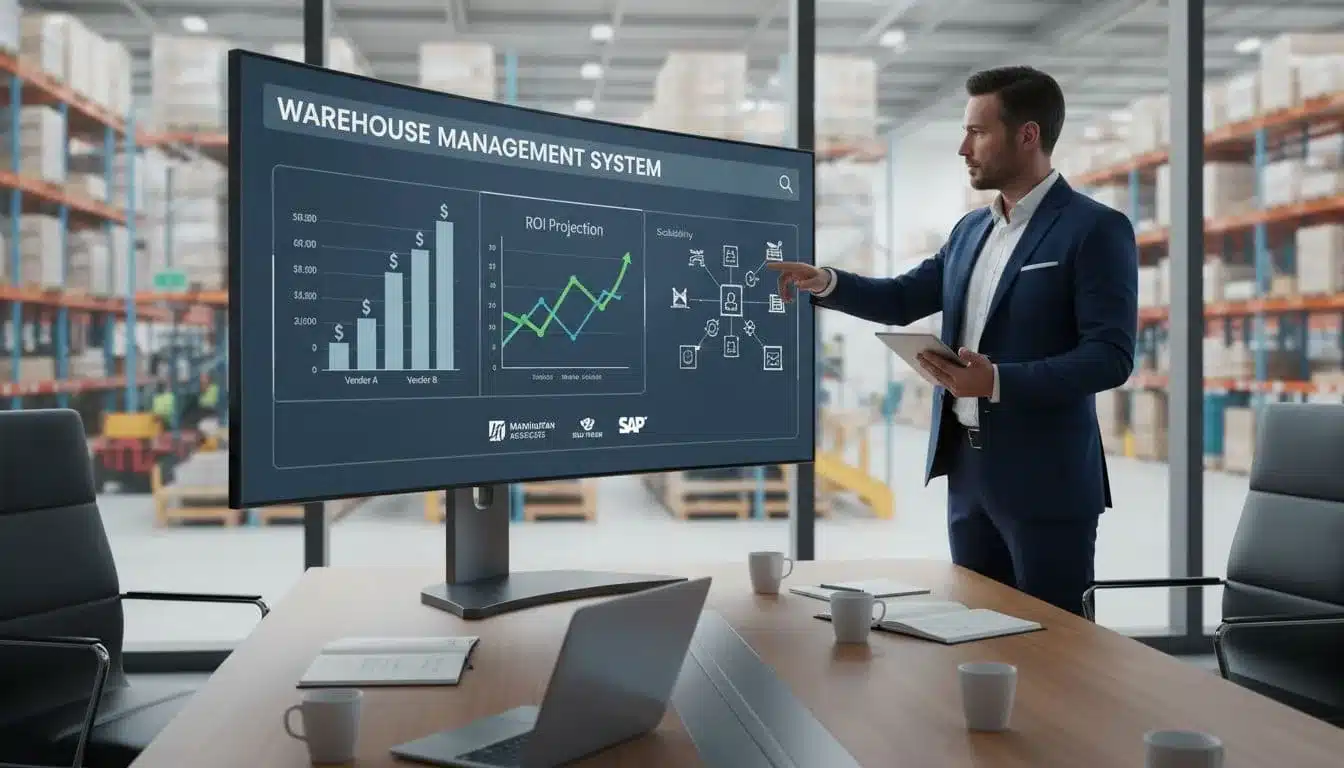
A WMS is not just a software line item, it is a long term investment that will shape how your warehouse runs for years. Your WMS Requirement Checklist should make it easier to compare vendors on cost, payback, and growth, not harder. This section helps you look past the sticker price so you can choose a system that fits your budget today and still works when your business grows.
Understand the full WMS cost: licenses, users, modules, and add ons
Most WMS vendors use a mix of pricing models. You will see:
- Per user licenses for named or concurrent users
- Per warehouse or site fees
- Per order or transaction pricing, common in pay as you go plans
- Tiered plans, where price jumps when you hit volume or feature limits
On top of that, you can face extra costs for:
- Integrations, such as ERP, e-commerce, or carrier systems
- Custom reports and dashboards
- Hardware, scanners, printers, RFID, and network upgrades
- Ongoing support, premium SLAs, or 24/7 coverage
- Training and change management, both remote and on site
Ask each vendor for a simple 3 to 5 year cost model that includes license fees, services, integrations, and likely add ons. Compare those side by side in your WMS Requirement Checklist so you see total cost of ownership, not just year one.
Estimate ROI from accuracy, speed, labor savings, and fewer chargebacks
A WMS pays for itself when it cuts waste. Tie your earlier goals to money. For example:
- Fewer picking errors, fewer reships and refunds
- Less lost inventory, fewer write offs
- Lower overtime, better use of existing staff
- Smarter space use, less need for expansion
- Faster, more accurate orders, happier customers and higher repeat sales
Here is a simple example. If a new WMS cuts labor cost per order by 20 cents and you ship 10,000 orders a month, that is 2,000 dollars in monthly savings. Add reduced chargebacks from better scan compliance and labeling, and many warehouses see payback in 6 to 18 months. Use those simple math checks during your vendor calls.
Plan for growth: more SKUs, more channels, more warehouses
Your WMS Requirement Checklist should assume your business will grow. You need a system that can handle:
- More orders per day, without slow screens or timeouts
- More SKUs, with richer product data and rules
- More users, across shifts and roles
- New locations, without starting from scratch
Ask vendors to show how they support multi warehouse setups, multi client or 3PL operations, and new online channels. Confirm how pricing changes when you add a site or double volume.
Peak season is the real test. Request examples of performance during holidays or big promotions. If the vendor can share real numbers from similar customers, you gain confidence the system will not choke when you need it most.
Vendor support, training, and change management
Strong support lowers risk at go live and over the next few years. Include support and training items in your WMS Requirement Checklist, not as a side topic.
Key points to ask about:
- Onboarding, project lead, and on site help or remote only
- Online training, videos, courses, and role based tracks
- User manuals and knowledge base, easy to search and up to date
- Live support hours, local time coverage, and weekend options
- Response and resolution times, by issue level
Good training makes it easier to bring new hires up to speed and keeps your processes consistent. Ask for references from similar companies and speak to their warehouse leaders. Their stories about support quality will often tell you more than any polished demo.
Step by Step: How to Use a WMS Requirement Checklist to Choose the Best Solution

A long wish list is a good start, but it does not help you pick a system on its own. To move from ideas to a real decision, you need a simple selection path that everyone supports. Think of your WMS Requirement Checklist as a shared scorecard that you use at each step, from early talks to final contract.
Use the steps below to turn that checklist into a clear, practical decision process.
Gather requirements from key stakeholders across your business
Start by getting the right people in the room. At a minimum, involve:
- Warehouse leads and supervisors
- IT or systems owners
- Finance
- Customer service
- Sales or account management
Run a short workshop or a series of focused interviews. Ask each group three things: their must haves, nice to haves, and deal breakers. Keep it tied to real pain points and goals you already defined.
For example, warehouse leads might flag mobile scanning as a must have, while finance might treat clear pricing and strong cost reports as non negotiable. IT may insist on certain security standards or integration options.
Pull all of this into one shared WMS Requirement Checklist. Clean up duplicates, agree on wording, and validate the final list in a short review call. The goal is simple: one document that everyone can back, so you avoid fights later in the process.
Rank and score requirements so you focus on what matters most
Once you have a combined list, you need to rank it. A basic scoring model works well and keeps debate grounded.
Start by grouping items into a few clear buckets, for example:
- Core warehouse features
- Integrations and data
- Usability and training
- Cost and commercial terms
Give each bucket a weight, such as 40 percent for core features, 25 percent for integrations, 20 percent for usability, and 15 percent for cost. Then, inside each bucket, mark each line as must have, important, or nice to have.
True must haves should be rare. These are items you will not bend on, such as a required ERP integration, support for your automation, or compliance needs like lot tracking or audit trails. Scoring helps you avoid chasing rare or flashy features that do not move your main goals. When you compare vendors, you can see in one glance who supports the things that really matter.
Run vendor demos that match your real workflows and data
With a ranked WMS Requirement Checklist in hand, you can get much more value from demos. Instead of watching generic slides, you guide vendors to show your world.
Create a short demo script that covers your main flows, such as:
- Receiving a mixed inbound load
- Picking and packing a standard online order
- Handling a rush or priority order
- Processing a return with damage
Use real sample orders, SKUs, and common exceptions. Share this script before the demo and ask vendors to follow it, not just their usual tour.
During the demo, watch how many clicks each step takes, how clear the screens look, and how the system reacts when something goes wrong. Ask your team to rate each area against the checklist right away, while details are fresh. Record the session if you can, so you can replay tricky parts later instead of relying on memory.
Pilot, reference checks, and final contract review
After demos, narrow your list to one or two strong options. For complex or high volume operations, a pilot or proof of concept is often worth the time. Run the WMS in a small zone, a single shift, or on one product family, and keep using your checklist to track how well it supports real work.
While the pilot runs, ask vendors for references from customers with similar size, complexity, or industry. Talk to warehouse leaders, not just IT. Ask how the go live went, how support feels today, and what they wish they had known.
Before you sign, review key contract points with the same care you gave to features. Pay close attention to:
- Data ownership and access if you ever leave
- Uptime guarantees and service credits
- Support SLAs, hours, and channels
- Terms for adding or removing users, sites, or modules
When you tie pilots, references, and contracts back to your WMS Requirement Checklist, you keep the process fair, structured, and focused on what your business truly needs.
Conclusion
A clear WMS Requirement Checklist is the smartest way to choose a WMS in 2025 because it keeps you focused on real results. Instead of chasing every feature vendors show, you stay locked on what matters most: speed, accuracy, cost, and service. That simple document turns a complex decision into a straight comparison that your whole team can trust.
The best WMS is not the flashiest system or the one with the longest spec sheet. The best WMS is the one that fits your goals, your workflows, and your budget, and that can grow with your order volume and channel mix. When your checklist reflects the way your warehouse actually works, you avoid regret later.
Now is a good time to act. Write down your top business goals, map your key flows, and build your checklist with input from operations, IT, finance, and customer service. Then take that checklist into every vendor call and demo so you control the process, not the other way around.
Treat this as the start of a stronger warehouse, not just a software project. With the right WMS choice, you set yourself up for better data, smoother automation, and new sales channels that you can handle with confidence. Your next peak season can run on a system that is ready for it.