

A warehouse managing system (WMS) integration can look affordable on paper, until the invoices start stacking up. One team I worked with budgeted for the WMS and a simple ERP connection, then found out they also needed paid connectors, weeks of data cleanup, extra training time, and a support retainer just to keep orders flowing.
In plain terms, warehouse managing system (WMS) integrations means connecting your WMS to the tools that run the rest of your operation, like your ERP, eCommerce platform, shipping carriers, EDI partners, and warehouse automation. When those connections are scoped poorly, hidden costs show up as rework, delays, and surprise “required” add-ons.
This guide walks you through how to plan integrations upfront, ask the right vendor questions, and keep total deployment cost under control. If you’re deciding what kind of connections you actually need, start with Four WMS integration types explained.
You’ll learn:
- How to spot connector and middleware costs before you sign
- What data cleanup really takes (SKUs, locations, units, customer records)
- Where training time and process changes inflate budgets
- How to set clear test plans, cut rework, and avoid go-live chaos
What drives hidden deployment costs in warehouse managing system (WMS) integrations?
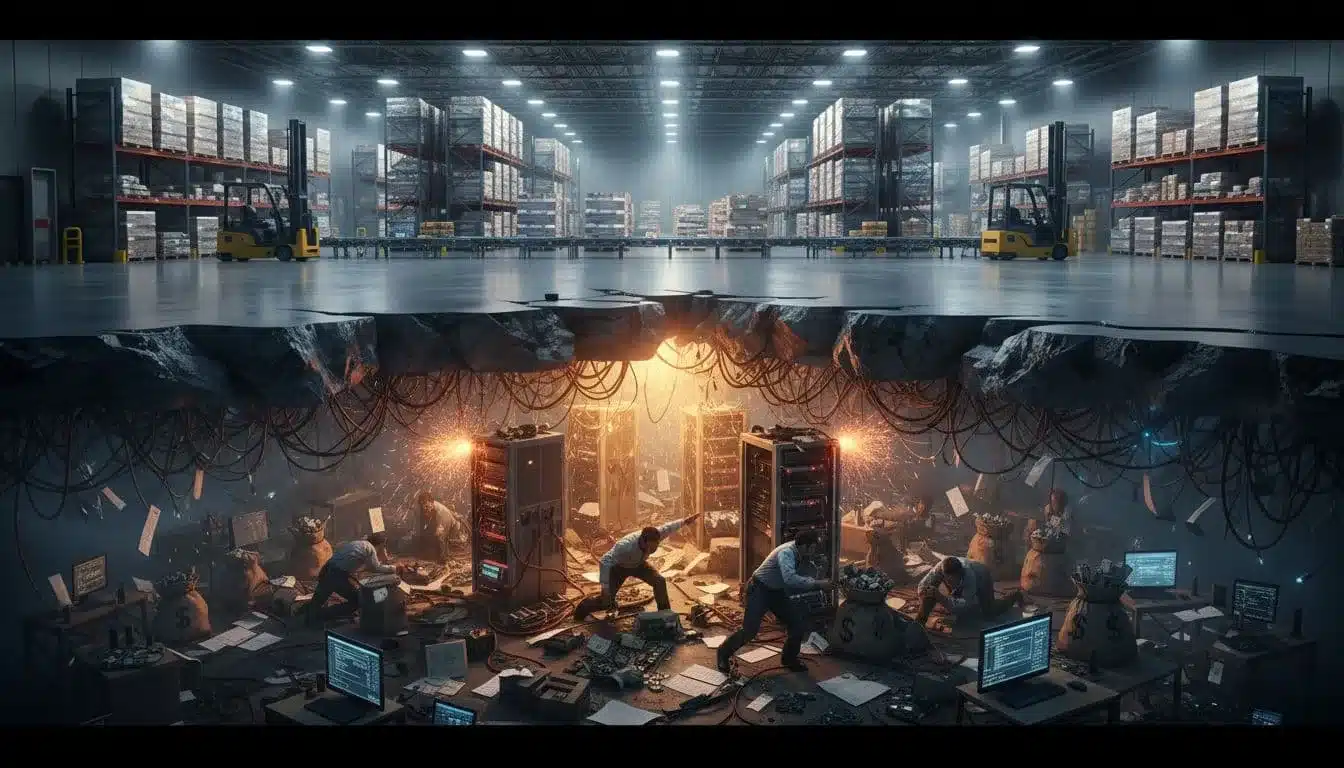
Hidden costs in warehouse managing system (WMS) integrations usually come from the work around the software, not the software itself. Even with a cloud WMS, every connection needs rules, testing, and a plan for when things go wrong.
A quick cost reality check helps set expectations. Recent market guidance commonly puts basic integrations in the $10,000 to $30,000 range, and more complex, multi-system integrations in the $30,000 to $80,000 range. It also warns that hidden costs often add 15% to 30% on top of the original budget. In other words, if your quote looks tight, it probably is.
The biggest cost traps: connectors, custom code, and “simple” change requests
Each time you connect the WMS to another system (ERP, OMS, POS, marketplaces, carriers, EDI), you are not just “turning on an integration.” You are defining how data maps, which fields are required, what rules apply, and how exceptions get handled when a message is missing, late, or wrong.
Common cost drivers include:
- Connectors and middleware fees: The WMS might support the connection, but the connector can be a paid add-on, a separate vendor, or require a certified partner.
- Mapping and field rules: One system calls it
SKU, another calls itItemNumber, and a third has both. Then you add units, pack sizes, hazmat flags, and ship methods. - Exception handling: What happens when a carrier label fails, an order has an invalid address, or an EDI partner sends an unexpected code? Somebody has to design that flow.
Here are a few “sounds small, costs big” requests that often turn into billable hours:
- “Can we add a new order type?” (it changes allocation rules, pick logic, packing slips, and invoicing)
- “Just split orders by carton count.” (cartonization rules, pack confirmations, and label formats get touched)
- “Add a gift message field.” (mapping, print templates, and marketplace compliance testing)
- “Route these orders to a different carrier.” (service mapping, rate shop rules, and label reprints)
- “Support returns.” (RMA data, disposition codes, restock rules, and customer refunds timing)
- “We need EDI for one new customer.” (new transaction sets, partner specs, and certification testing)
If you already know you will have several connections, confirm what’s included versus paid add-ons. A reference point is the vendor’s published integrations list, such as 200+ ERP and eCommerce integrations for Leanafy.
Data migration and master data cleanup, the silent budget killer
Migration is not “moving files.” It’s data prep, transformation, and validation so the WMS can actually run your warehouse without surprises.
Messy data forces rework because the WMS depends on clean master data to make basic decisions (where to store inventory, how to pick it, and how to ship it). Problems usually show up in:
- SKUs: duplicates, discontinued items still active, missing dimensions or weights
- Units of measure: case vs each mismatches, pack sizes that do not match purchasing
- Locations: naming that does not match the physical rack labels, missing zone rules
- Lot/serial rules: some items require tracking, others do not, but the data does not say so
- Customer addresses: duplicates, missing postal codes, invalid state codes, outdated ship-to records
A simple cleanup checklist before migration:
- Confirm one unique SKU per item, and retire old SKUs
- Standardize UOM and pack sizes (each, inner pack, case, pallet)
- Lock down location naming rules (aisle-bay-level-position)
- Fill in required fields like barcode/GTIN, weight, dimensions, and hazmat flags
- Deduplicate customers and ship-to addresses
- Define lot/serial and expiry rules per SKU, not “by memory”
Plan time for validation, including spot checks in the WMS and trial picks, not just spreadsheet reviews.
Training time, productivity dips, and overtime during go live
Go-live costs spike because people are learning while the warehouse still has to ship. Even strong teams slow down at first, and that slowdown turns into real dollars through overtime, temp labor, and extra supervision.
Expect soft costs like:
- Slower picks and pack-outs in the first days and weeks
- Extra floor support (leads and supervisors answering questions nonstop)
- Overtime and weekend catch-up to hit ship windows
- More rework from mis-scans, short picks, and label errors
Training works best when it is role-based:
- Receiving (POs, counts, putaway rules)
- Picking (batch logic, scan flows, substitutions)
- Packing and shipping (carton rules, labels, exceptions)
- Supervisors (waves, holds, cycle counts, reporting)
- IT and ops admin (users, printers, integrations monitoring)
To estimate the learning-curve cost, measure a baseline and compare daily for two to four weeks:
- Lines per hour
- Error rate (shorts, mis-picks, mis-ships)
- Dock-to-stock time
Support, environments, and upgrades, the costs that show up later
After go-live, costs do not disappear, they change shape. Support plans, extra environments, and upgrades can add recurring spend and surprise project work, especially when you are connected to many systems.
Watch for:
- Support tiers and SLAs (standard vs priority, response times, after-hours coverage)
- Sandbox and test environments (extra fees, data refresh costs, user licensing)
- Version upgrades (WMS updates plus time to re-test workflows)
- Integration re-testing after any connected system changes (ERP patches, carrier API changes, marketplace updates)
Every connected system update can break a “working” flow. The integration might still run, but edge cases start failing, and you find out only after orders pile up.
Questions to ask so you can lock this down in writing:
- What support is included, and what costs extra (after-hours, phone, dedicated team)?
- Do we get a sandbox and test environment, and are there added license fees?
- How often do upgrades happen, and who owns regression testing for integrations?
- If a carrier, ERP, or marketplace changes its API, what is the process and hourly rate to update mappings?
- What monitoring and alerting is included for failed orders, label errors, and EDI rejects?
Pick the right integration approach, prebuilt, API, middleware, or EDI

A lot of hidden cost in warehouse managing system (WMS) integrations comes down to one decision: how you connect systems. The right approach fits your order volume, the size of your IT team, and how many outside partners you must support.
Here’s a quick way to think about it: prebuilt is like buying a plug, API is custom wiring, middleware is a well-labeled breaker panel, and EDI is the standard form your biggest B2B customers require.
Prebuilt integrations: fastest path, but verify limits before you commit
“Prebuilt” usually means a vendor has already mapped standard fields (items, customers, orders, shipments) and supports common workflows (order import, inventory sync, tracking updates). You can often go live faster, but only if your operation looks like the template.
Before you sign, confirm the integration supports your real order patterns:
- Supported order types (B2C, B2B, dropship, transfer orders)
- Partial shipments and split shipments
- Backorders and re-allocations
- Kits and bundles (and whether components vs parent SKUs are sent)
- Returns (RMAs, dispositions, restock rules)
- Multi-warehouse and inventory segmentation by site
- Carrier services (service codes, third-party billing, Hazmat flags, Saturday delivery)
A simple vendor demo script (use it word-for-word):
- “Here’s an order with a kit and a backordered line. Show it coming into the WMS and how it allocates.”
- “Now split-ship it from two warehouses. Show the outbound messages and what the ERP/OMS receives.”
- “Cancel one line after pick release. Show what happens in both systems.”
- “Process a return for one item, damaged disposition. Show inventory and financial status changes.”
- “Print labels for two carriers with different service levels. Show how service codes map.”
If they can’t run this live, expect paid “professional services” later. For examples of prebuilt connections, see the vendor’s integrations catalog at https://leanafy.com/integrations/.
Direct API integrations: flexible, but watch for testing and monitoring costs
An API is a set of rules that lets systems send data back and forth programmatically. For warehouse managing system (WMS) integrations, APIs are popular because they can keep data near real time, which helps reduce oversells, speed up shipping confirmations, and keep customers informed.
The hidden costs show up after the first “happy path” works:
- Rate limits that force batching or delays
- Retries for timeouts and intermittent failures
- Idempotency (avoiding duplicate orders when a request is resent)
- Error queues so failures don’t disappear into logs
- Logging and monitoring (alerts when orders stop flowing)
- Ownership clarity (who fixes mapping issues vs platform outages)
Must-have API behaviors for WMS flows:
- Inventory updates (available, allocated, on-hand, and by warehouse)
- Order status (released, picked, packed, shipped, on hold)
- Shipment confirmation (tracking, cartons, weights, carrier service)
- Cancellations (full order and line-level, before and after release)
If your team is small, plan for who will run the “integration on-call” when an endpoint fails at 5:30 pm.
Middleware or iPaaS: pay once to simplify many connections
Middleware (often sold as iPaaS) sits between systems and handles routing, transformations, and monitoring. Instead of building five separate point-to-point connections, you build one connection into the hub, then manage the rest from there.
This can lower long-term cost when you have lots of moving parts, but budget for:
- Licensing (monthly fees, sometimes based on volume)
- Connector costs (some connectors are extra)
- Governance (naming standards, change control, access, and documentation)
Rule of thumb: middleware starts to pay off when you have multiple sales channels, frequent system changes, many carriers, or multiple warehouses. If you are also supporting B2B routing and retailer rules, a hub keeps you from rewriting the same logic in five places. If you need a team to help design and support it, https://leanafy.com/services/ is a useful reference for what “end-to-end” integration support can include.
EDI for B2B customers: budget for mapping, partner testing, and chargebacks
EDI is common in B2B because large retailers and distributors want a consistent, auditable way to exchange orders and shipping details. The catch is that EDI is not “set and forget.” Every trading partner has its own specs, code lists, and compliance rules.
Typical EDI work items that drive cost:
- Document mapping (your fields to their segments and codes)
- Partner specs review (routing guides, label rules, pack requirements)
- Testing cycles (unit testing, certification, and re-testing after changes)
- Monitoring (rejects, missing acknowledgments, late ASNs)
The financial risk is real. When integrations fail, you can face chargebacks (for late shipments, missing ASNs, invalid labels) and missed SLA penalties. EDI documents that often touch WMS flows include:
- Purchase Orders (often
850) - Order Acknowledgments (
855) - Advance Ship Notices, ASN (
856) - Invoices (
810)
If you sell through networks like CommerceHub, you’ll want an approach built for multi-destination compliance, for example https://leanafy.com/integration/commercehub/.
A cost safe implementation plan for WMS integrations (from discovery to go live)

Hidden costs in warehouse managing system (WMS) integrations usually come from avoidable rework, unclear data ownership, and rushed testing. The fix is a simple, phase-based plan with clear deliverables, realistic timelines, and budget set aside for testing and training.
A typical timeline range:
- Simple (1-2 systems, standard flows): ~4-8 weeks
- Complex (ERP + OMS + carriers + EDI/3PL workflows, lots/serial, automation): ~10-16 weeks
Discovery: map your real workflows before anyone writes code
Discovery is where you prevent the “we assumed” invoice. The goal is to document what actually happens in your warehouse, not what you wish happened.
Start with one simple method: list every transaction the WMS will send or receive, then tie each to who owns the truth.
Common WMS integration transactions:
- Orders (sales orders, transfer orders)
- Receipts (PO receipts, ASN-based receiving)
- Adjustments (cycle count variances, damage, write-offs)
- Shipments (confirmations, tracking, carton data)
- Returns (RMA receipt, disposition, restock vs scrap)
Next, identify the system of record for each key data element. If you skip this, you pay for it later in “fix the sync” work.
- WMS usually owns: locations, license plates, pick faces, task status, and often on-hand by bin
- ERP usually owns: financial totals, invoicing status, costing rules, and the final GL impact
- OMS/eCommerce often owns: customer-facing order status, edits, and cancellations timing
Then call out edge cases early, because edge cases drive build time and test time:
- Split shipments (one order, multiple packages or warehouses)
- Substitutions (allowed items, approvals, reporting)
- Lot holds and quality releases
- Kitting (build-to-order vs pre-kitted stock)
- Cross-dock (receipt to ship with minimal storage)
- Drop ship (order flows without inventory movement)
Discovery deliverable (1-page integration scope):
- Systems in scope and contact owners
- Transactions in scope (send/receive list)
- System of record table (by data element)
- Out-of-scope list (what will not be automated in phase 1)
- Edge cases to support at go-live
- Success metrics (what “working” means on day 1)
Design: create a field map, error rules, and ownership matrix
Design is where integration costs become predictable. You turn “connect the WMS to the ERP” into written rules that developers and testers can follow.
A good field map includes:
- Source field (system + object, like ERP
SalesOrder.ShipToPostalCode) - Target field (WMS equivalent)
- Transform (trim, format, code mapping, unit conversion)
- Required vs optional
- Example values (real examples from your data)
If you want to keep it clean, put this into a shared spreadsheet and version it. One approved map beats 30 Slack messages.
Add error handling rules up front, so exceptions don’t turn into emergency calls:
- If SKU is missing: hold the order, alert ops, and create a ticket
- If address is invalid: block shipment creation, notify customer service
- If inventory goes negative: stop allocation, require cycle count or supervisor approval
- If a message is duplicated: ignore using idempotency keys, log it for review
Finally, build an ownership matrix so support costs do not surprise you. It should list vendor, internal IT, 3PL, and any consultant, plus response times and escalation paths. Include:
- Who monitors the error queue
- Who fixes mapping issues vs data issues
- Expected response times during business hours and after hours
Build and test: stop paying for rework with a smart test plan
Testing is not one event, it’s three layers. When teams skip a layer, they pay for it in go-live chaos.
- Unit tests: each message type and transformation works (field-level)
- End-to-end tests: full flow across systems (order in to shipment confirmation out)
- User acceptance tests (UAT): warehouse and customer service validate real workflows
Test scenarios that often break integrations:
- Partial picks and short picks
- Backorders and re-allocation
- Cancelled orders (before and after release)
- Oversize shipping and service changes
- Hazmat flags and restricted items
- Lot expiration and FEFO rules
- Return labels and return receipt posting
- Multi-carton shipments (carton IDs, weights, tracking per carton)
Two cost-saving habits:
- Test data kit: a curated set of 20-40 orders and items that cover your edge cases (use real-like SKUs, UOMs, lots, and addresses).
- Defect triage: daily 15-minute review with one owner per defect, a severity rating, and a clear decision (fix now, workaround, defer to phase 2).
If your operation is high-volume, align the test flows to your real fulfillment patterns, the ones described in a practical DTC order fulfillment guide with Leanafy WMS.
Go live and stabilization: plan for the first 30 days like a project phase
Go-live is a cutover plus a 30-day stabilization sprint. Treat it like a real phase with staffing, metrics, and daily decisions.
Cutover planning should include:
- Freeze windows (master data and code changes)
- Final data load (items, locations, open orders, on-hand)
- Parallel runs where needed (ship in WMS, compare to ERP results)
- A rollback plan (what triggers it, who approves it)
Staffing plan for the first month:
- Super users per shift (receiving, picking, packing)
- Vendor support on call for integration errors
- Daily standups (15 minutes, same time, same agenda)
Metrics to watch daily:
- Orders shipped vs orders released
- Pick accuracy (shorts, mis-picks)
- Inventory adjustments by reason code
- Integration error queue count and aging
This structure reduces overtime because issues get caught early, and it reduces urgent paid changes because you’re not making decisions in panic mode.
Control the total cost: budgeting, contracts, and metrics that prevent surprises

Hidden costs in warehouse managing system (WMS) integrations rarely come from one big mistake. They come from small “of course we need that” items that show up after you sign. The fix is simple: build a budget that includes the unglamorous work, lock scope in the contract, keep customization on a short leash, and track value early so you don’t keep funding the wrong work.
Build a real budget: one time costs, recurring fees, and internal labor
A usable budget separates one-time work (build and launch) from recurring fees (run and maintain). Use a table like this so finance and ops can review it in 10 minutes.
| Cost bucket | One-time (setup) | Recurring (monthly or annual) | Notes to capture up front |
|---|---|---|---|
| WMS licenses | $0 to $X | $X | Users, sites, modules, peak season users |
| Integration build (ERP/OMS/carriers) | $10,000 to $30,000 basic, $30,000 to $80,000 complex | $0 to $X | Per connection, per workflow, or time and materials |
| Data migration + cleanup | $X | $0 | SKU/UOM, locations, customers, open orders, inventory |
| Middleware/iPaaS | $X | $X | Connector fees, transaction volume pricing |
| EDI setup (per partner) | $X | $X | Map fees, partner testing, ongoing monitoring |
| Environments | $X | $X | Sandbox, QA, staging, data refreshes |
| Hardware and devices | $X | $X | Scanners, printers, labels, Wi-Fi, spares |
| Training + floor support | $X | $0 to $X | Role-based training, super-user time, overtime |
| Support plan | $0 | $X | Hours included, after-hours, escalation |
| Reporting/BI | $X | $X | Dashboards, exports, custom reports |
Even good plans miss things. Hidden items commonly add 15% to 30% if you don’t reserve contingency.
Don’t skip internal labor, because it’s real cash in a different costume:
- Ops time: process walkthroughs, slotting decisions, cycle count rules, reason codes.
- IT time: user setup, SSO, printer configs, data extracts, monitoring alerts.
- Process docs: SOP updates, training guides, exception flows, “who fixes what” runbooks.
If you want a quick overview of what a modern WMS platform includes (and what tends to become add-ons), see https://leanafy.com/lean-warehouse-management-system/.
Contract and SOW checklist: lock down what is included and what is billable
Your statement of work should read like a grocery receipt, not a brochure. Before signing, get clear answers in writing on:
- How many integrations are included, and which ones (ERP, carrier, marketplace, EDI, automation).
- API limits: call limits, rate limits, overage fees, batching rules.
- Sandbox access: is it included, how many users, how often data refresh happens.
- Support hours and response SLAs: business hours, after-hours options, severity definitions.
- Upgrade policy: who triggers re-testing after WMS updates, carrier API changes, ERP patches.
- Change requests: hourly rates, minimum blocks, who approves, how quickly you get an estimate.
- Travel and on-site fees: flights, hotels, per diem, who signs off.
- Data migration scope: which objects (items, UOM, locations, open orders, on-hand), how many records, how many test loads.
- Training scope: number of sessions, roles covered, train-the-trainer, floor support days.
Ask for sample invoice line items (support retainer, connector fees, overages, change requests). If finance can’t forecast it, you’ll feel it later.
Avoid over customization: standardize the warehouse before you customize the WMS
Custom rules feel helpful in the moment, then they become rent you pay forever. More customization means higher costs for upgrades, troubleshooting, and rolling out a new site.
Simplify the operation first:
- Standard carton sizes and pack rules.
- Consistent SKU, UOM, and location naming conventions.
- Fewer pick methods per client (pick-to-cart, batch, zone), chosen on purpose.
- Clear location labels that match the WMS structure.
- Tight reason codes for adjustments, damages, shorts, and returns.
A practical filter: customize only when it protects safety, compliance, or a clear customer promise (like retailer labeling rules). If it’s just preference, standardize it.
Track value fast: the metrics that prove (or disprove) the investment
Metrics keep costs under control because they reduce scope creep. When you can show what moved, you stop paying for guesses.
Pick 8 to 10 simple measures tied to money:
- Inventory accuracy (%)
- Order cycle time (order released to shipped)
- Lines per hour (pick and pack)
- Dock-to-stock time
- Ship-on-time rate
- Returns rate
- Chargebacks (count and dollars)
- Expedited shipping spend
- Shrink or write-offs (by reason code)
- Manual touches per order (rework, relabels, exception handling)
Set a baseline before go-live, then review at 30, 60, and 90 days. Keep the focus on a few numbers you trust. When the team sees progress (or lack of it), you’ll make smarter calls on what integrations or changes are actually worth funding next.
Conclusion
Hidden deployment costs in warehouse managing system (WMS) integrations usually come from the work around the WMS, not the license. Unclear scope leads to change requests, messy master data turns every mapping into a cleanup project, and weak testing pushes problems into go-live when fixes cost more. When you choose the right connection method (prebuilt, API, middleware, or EDI), document who owns each data field, and lock pricing and responsibilities into the SOW, your integration spend stays predictable.
If you want a practical view of what ongoing costs look like in a modern setup, compare notes with Cloud-based WMS solutions for 3PL providers. The goal is simple: fewer surprises, fewer fire drills, and a warehouse team that can ship with confidence.
This week, do these basics:
- List every system the WMS must send to and receive from, include owners
- Export your SKU and location master data, fix duplicates and missing required fields
- Write a system-of-record table (SKU, UOM, address, inventory, order status)
- Build a 20 to 40 order test pack that includes edge cases (splits, cancels, returns)
- Ask vendors for a line-item estimate, plus sample change request pricing
- Confirm sandbox access, monitoring, and support hours in writing
Predictable integrations are planned, tested, and owned.